Free AI Video Generator: There's An AI For That, 100 a Day
Free AI video generator from There's An AI For That: 100 videos a day, commercial use allowed, reference images. Tested.

There's An AI For That (often shortened to TAAFT) started out as a directory of AI tools, and now it has launched its own free AI video generator. Once you sign in, you can generate 100 videos a day and use the results commercially, with no credit card required.
I made a few videos with it and compared the results using the same prompt and reference images as in my Higgsfield MCP post. This post covers where to find the tool, every setting in this free AI video maker, how the free quota works, and the downsides I ran into.
What is There's An AI For That?
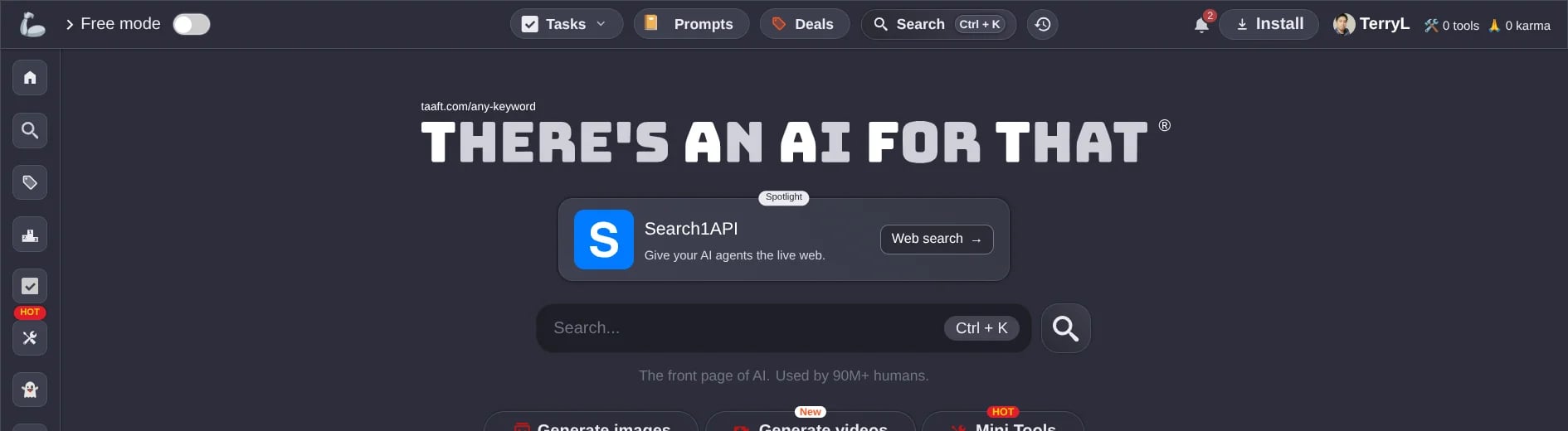
There's An AI For That is a directory of AI tools. You can search by keyword to find tools for a specific task. According to the official About page (updated October 2026):
- It launched in December 2022. The founder and CEO is Andrei Nedelcu, and the company is There's An AI For That SRL, based in Bucharest, Romania, with a team of 30+ people.
- It lists more than 50,000 AI tools and 1,000+ models, and gets more than 4.5 million visits a month. Its newsletter started in April 2023 and has more than 1.8 million subscribers.
- Revenue comes from AI tool listing fees, sponsorships on the site and in the newsletter, pay-per-click ads, and data partnerships.
All of these figures are published by the company itself, not by a third party.
Besides the directory, there's a section called "Mini tools" with small tools built by the site itself. The video generator is one of them. The path is Mini tools → Video generation → Video generator, and it's published by the official @taaft account.
Does the video generator use its own model?
The company hasn't said. The tool page only offers two options, Fast and Quality, without naming the model behind them. The About page doesn't mention There's An AI For That training its own AI models either; it describes itself as a tool directory, a data business and a newsletter. The most reasonable reading is that it wraps an existing video model in a free tool to attract traffic, but I couldn't find any official information on which model that is.
The downloaded video file doesn't reveal the model either. Its encoding metadata only lists the generic FFmpeg encoder.
Is There's An AI For That free? 100 videos a day, commercial use allowed
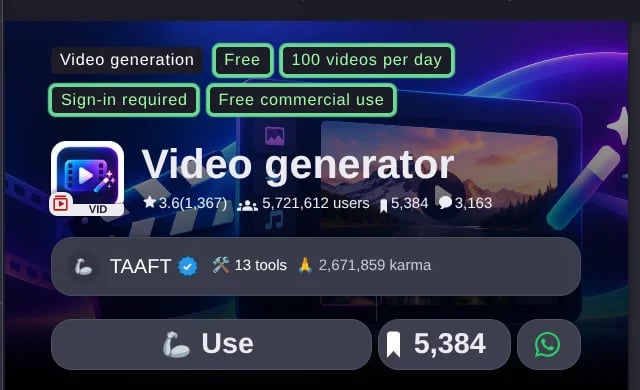
The tags at the top of the tool page spell it out:
Item | Details |
|---|---|
Price | Free |
Daily quota | 100 videos; the quota resets daily |
Account | Sign-in required |
Commercial use | Allowed. The page says "Generated content is 100% free to use, including commercial use." |
Video length | Every video I generated was 8 seconds, and so were the examples in the gallery. There's no length setting in the interface |
Resolution | Not stated on the page. The vertical video I downloaded was 480×864 at 24 frames per second, even though my prompt asked for 720p |
Audio | Yes, the downloaded video includes an audio track |
Model | Not stated on the page |
Your remaining quota is shown above the generate button, for example "98 of 100 videos left today · resets in 13h 12m". When I took the screenshot, the countdown said 13 hours 12 minutes, which works out to a reset at midnight UTC.
This is what the tool page showed when I checked it on November 25, 2026. The free quota may change later.
How to use this free AI video maker: prompt, reference images and settings
All the settings are on the left, and the results appear on the right.
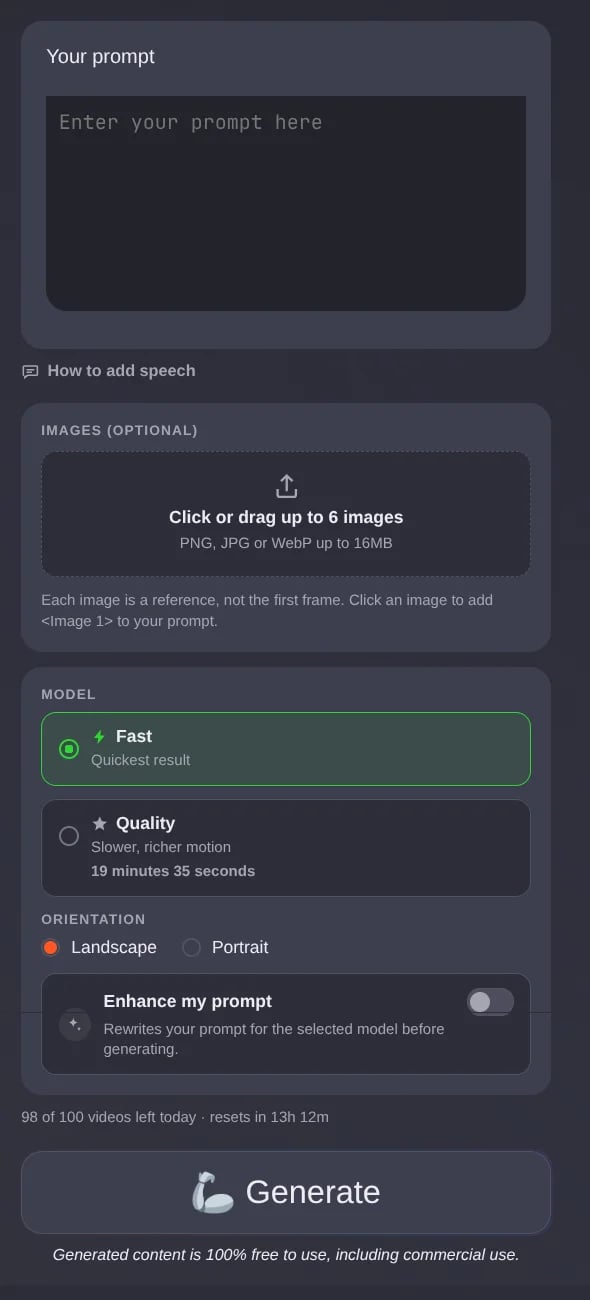
- Your prompt: type your prompt here. Below it is a "How to add speech" help link that explains how to add spoken audio to your video.
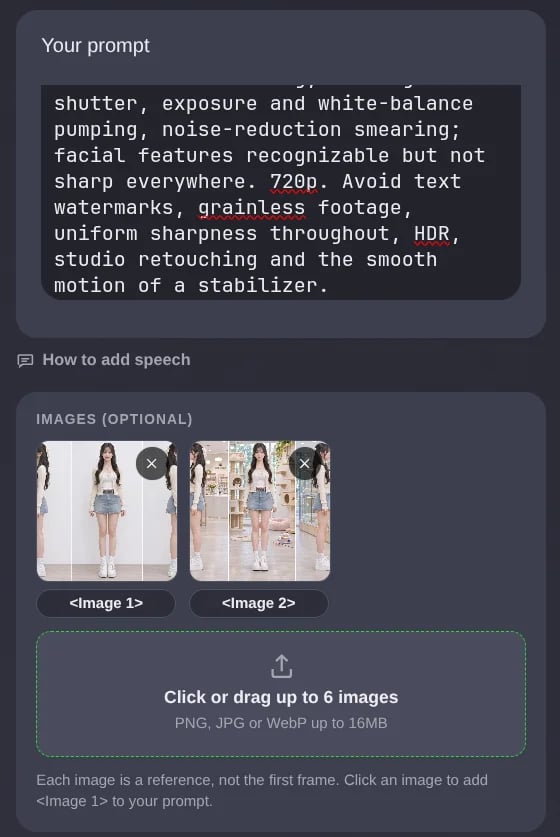
- Images (optional): upload up to 6 reference images in PNG, JPG or WebP, up to 16MB each. Note that a reference image is not the first frame; the page says "Each image is a reference, not the first frame". Click an uploaded image and a tag like
<Image 1>is inserted into your prompt, so you can tell the model what that image is for. - Model: Fast gives you results fastest. Quality is slower with richer motion ("Slower, richer motion"), and an estimated wait time appears under the option. When I took the screenshot, it said 19 minutes 35 seconds.
- Orientation: Landscape or Portrait.
- Enhance my prompt: when this is on, your prompt is first rewritten for the model you picked, then sent off for generation.
Once everything is set, click Generate. Finished videos appear on the right under "Your recent videos", and the "Gallery" below shows examples made by other people.
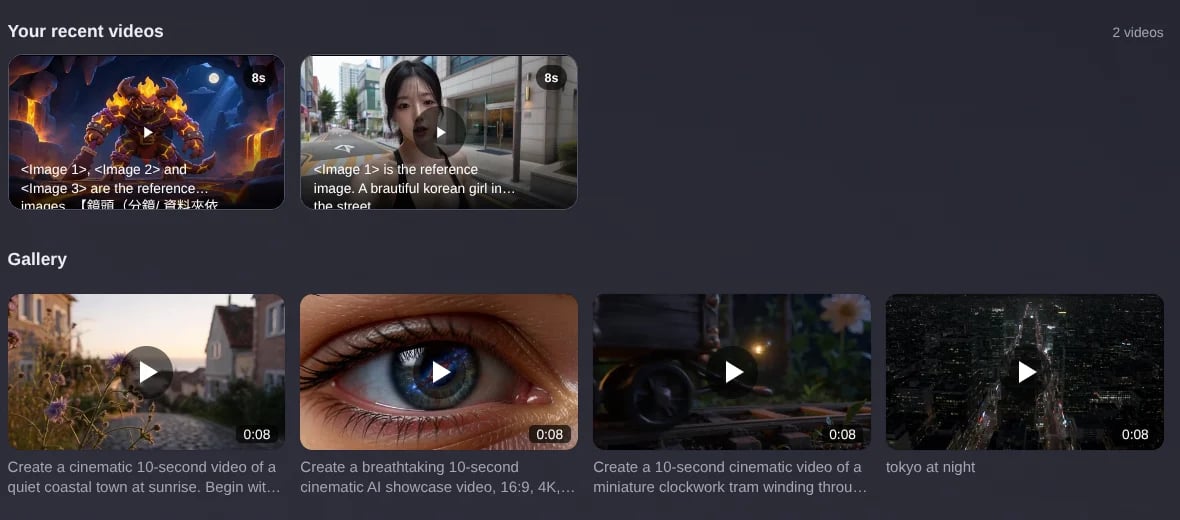
Image to video AI for free: comparing the same prompt with Seedance 2.5
For comparison, I translated the prompt from the Seedance 2.5 pet shop video in my Higgsfield MCP free trial guide into English, then submitted it to the There's An AI For That video generator with the same two reference images (a character turnaround sheet and a pet shop scene).
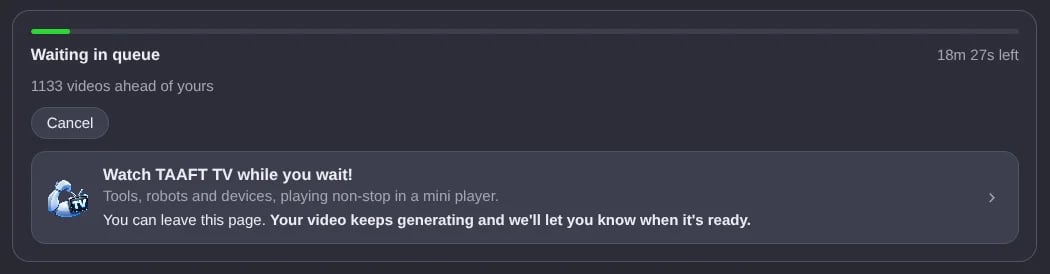
After you submit, you wait in a queue. When I submitted mine, there were 1,133 videos ahead of mine, with an estimated wait of 18 minutes 27 seconds. The page says generation will continue if you leave the page, and you'll be notified when the video is ready.
To see the video Seedance 2.5 made from the same reference images and prompt, check the "Step 3: Generate a Seedance 2.5 video on claude.ai" section of my Higgsfield MCP free trial guide.
Here's how their specifications compare:
Item | There's An AI For That | Higgsfield MCP (Seedance 2.5) |
|---|---|---|
Resolution | 480×864 | 720×1280 |
Length | 8 seconds | 15 seconds |
Audio | Yes | Yes |
Cost | Free, 100 videos a day | 3-day free trial, paid after that |
The video from There's An AI For That follows the prompt, cutting between a selfie-style close-up of the character's face and a shot of the character bending down to pet a cat. A cat tree and glass cat enclosures appear in the background.
Downsides: the limits of this free AI video generator
- There's a queue, and it can be long: everyone's videos wait in the same queue. In my test, there were 1,133 videos ahead of mine, with an estimated wait of more than 18 minutes. The estimated wait for Quality mode was also close to 20 minutes.
- Resolution is only 480p: the vertical video I downloaded was 480×864, even with 720p in the prompt, and it looks soft when you zoom in.
- You can't see which model it uses: the page doesn't say, so it's hard to predict the quality in advance, and you can't compare it with the same model in other tools.
- No choice of video length: my videos and the gallery examples are all 8 seconds. Even when a prompt says "10-second video", the finished gallery example is still 8 seconds.
- Reference images aren't the first frame: if you want "image to video" generation where the first frame is your picture, you can't do that here. Reference images are only used for the look of characters or objects.
FAQ
Is the There's An AI For That video generator free?
Yes. Once you sign in, you can generate 100 videos a day, with no credit card needed. The quota resets daily, and when I checked, the reset time was midnight UTC.
Can I use the generated videos commercially?
The page says "Generated content is 100% free to use, including commercial use." In other words, the generated content is free to use, including for commercial purposes.
Can this free AI video generator turn an image into a video?
You can generate videos from images, but it works differently from typical "image to video". You can upload up to 6 reference images (PNG, JPG or WebP, 16MB or less each), but they serve only as references for appearance, rather than as the first frame. Use tags like <Image 1> in your prompt to say what each image is for.
How long can the videos be?
The videos I generated and the gallery examples are all 8 seconds, and there's no length setting in the interface.
Does There's An AI For That have its own AI model?
The company hasn't said which model the video generator uses, and the About page doesn't mention training its own models. It positions itself as an AI tool directory. It launched in December 2022, and the company is based in Romania.
Is There's An AI For That safe?
The site is run by a company that publicly identifies its founder. The official About page lists its Romanian company registration and tax ID numbers, and it launched in December 2022. The video generator requires you to sign in, but no credit card is needed. When uploading reference images, it's still best to avoid pictures that contain personal information or that you don't want to make public.
Wrapping up
If you're looking for an AI video generator that's free and doesn't ask for a credit card, the There's An AI For That video generator is about as easy to start with as it gets: 100 videos a day, commercial use allowed, and support for reference images. If you want to pick the model yourself, for example to make longer videos with Seedance 2.5, take a look at my Higgsfield MCP free trial guide.
What videos have you made with it? Come share them with me on Threads or X.