Kokoro TTS vs Chatterbox TTS: Free Open Source TTS for Games
Kokoro TTS and Chatterbox TTS: free open source TTS for commercial use on a laptop CPU. I voice a game NPC, with voice cloning and samples.
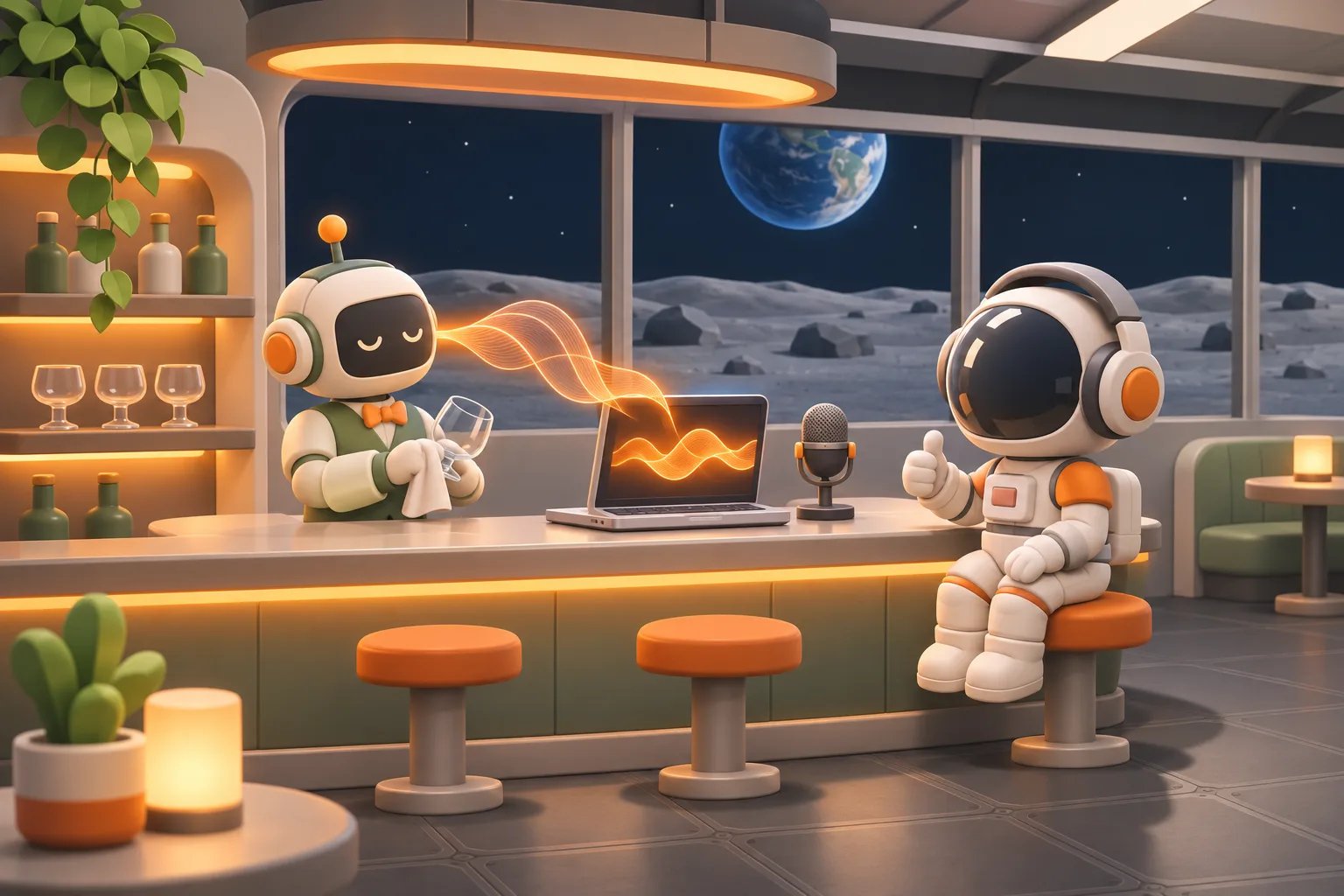
The homepage of this website is a moon base. Open terryl.in and you land in a 3D mini-game built with Three.js. You can walk an astronaut around the base, put on a spacesuit, head out through the airlock onto the lunar surface, or order a signature cocktail at the bar. This blog, the Moonbase Log, documents the process of building the base.
The bar has a robot bartender named Arthur. He's a tribute to Arthur, the android bartender in the movie Passengers (2016). Like the original, he's gentle, extremely polite, and keeps a straight face when he talks. A few of his lines are adapted from the film, so if you've seen it you'll probably recognize them. Ask him why he keeps wiping the glass and he says: "If I didn't wipe the glass, I'd have to make conversation." Unfortunately, so far those lines have only been text in a dialog box.
In the last post I used Stable Audio 3 Small SFX to make sound effects for the moon base. This time, I'm adding voices. Voicing game characters used to mean hiring voice actors or paying a cloud AI text-to-speech service like ElevenLabs by the character. Now there are several free, open source TTS (text-to-speech) models licensed for commercial use you can download and run on your own computer. No per-use fees, and they work as a free ElevenLabs alternative.
This post compares the open source TTS models most worth trying right now. I installed Kokoro TTS and Chatterbox TTS on a laptop with no graphics card, voiced Arthur's lines in English, and tried free open source voice cloning so the character keeps the same voice in every line.
Best open source TTS models for commercial use, compared
Here's the short version first. These are the ones I checked for licensing and confirmed you can use commercially:
Model | Parameters | License | Voice cloning | Languages | Hardware |
|---|---|---|---|---|---|
Kokoro-82M | 82M | Apache 2.0 | No, 54 built-in voices | 8 | Runs on CPU |
Chatterbox-Nano | 110M | MIT | Yes | English only | Runs on CPU |
Chatterbox-Turbo | 350M | MIT | Yes | English only | CPU works, slower |
Chatterbox (original, Multilingual V3, Chinese) | 500M | MIT | Yes | Original is English; Multilingual V3 has 23; Chinese fine-tune | CPU works, very slow |
Step Audio EditX | About 3B | Apache 2.0 | Yes | Strong in Chinese | Needs an NVIDIA GPU |
Qwen3-TTS (0.6B, 1.7B) | 600M, 1.7B | Apache 2.0 | Yes, from a 3-second reference | 10 | 0.6B runs on CPU, cloning is very slow |
In short:
- Fast, light, runs on a laptop: Kokoro.
- Voice cloning, so a character sounds the same every time: Chatterbox. Nano for English, Multilingual V3 for other languages.
- You have an NVIDIA GPU and want more control: Qwen3-TTS. You can "design" a voice from a one-sentence text description and steer emotion with tone instructions.
- You have a big GPU and want the best quality and emotion: Step Audio EditX.
Step Audio EditX needs an NVIDIA GPU, which my laptop doesn't have, so I didn't test it here. For Qwen3-TTS I tried the smallest 0.6B model, which does run on CPU. Results are below.
This post is the overview. I'll follow up with a dedicated post for each model: Kokoro, Chatterbox, Qwen3-TTS, Step Audio EditX, and VoiceStudio.
On leaderboards scored by blind human listening (Speech Arena, for example), closed services like ElevenLabs still sit at the top, and no open source model has made the top ten. But games don't always need top-tier audio. For NPC lines, AI narration in tutorials, or placeholder voices during development, open source models are more than good enough.
Another option: Qwen3-TTS
Qwen3-TTS is a TTS family that Alibaba's Qwen team open sourced in January 2026. It's Apache 2.0, so commercial use is fine. It comes in 0.6B and 1.7B sizes, each split into versions for different jobs:
- Base: voice cloning from just 3 seconds of reference audio.
- CustomVoice: 9 built-in voices, including male voices with Beijing and Sichuan accents. The 1.7B version also takes tone instructions, such as "say it in an especially angry tone."
- VoiceDesign (1.7B): design a voice from a text description, such as "a 17-year-old boy, tenor, growing more confident as he speaks."
It supports 10 languages: Chinese, English, Japanese, Korean, German, French, Russian, Portuguese, Spanish and Italian. The official evaluation says it beats ElevenLabs on Chinese pronunciation accuracy and voice similarity, though that's their own test.
For game voices, the most practical workflow is design first, then clone. Describe the character's voice to VoiceDesign in text, generate one line as the reference, and clone every later line from it with Base so the voice stays consistent. That's very close to what I do in this post with Kokoro and Chatterbox.
Install it with pip install -U qwen-tts. The official examples all run on an NVIDIA GPU with bfloat16 and FlashAttention 2. They don't say how much VRAM you need or whether CPU-only works.
I tried 0.6B on CPU on the same laptop:
- Built-in voice (CustomVoice): a line about 6 seconds long took about 31 seconds to generate.
- Voice cloning (Base): a 4 to 5 second line took over 4 minutes, three times as long as the Chatterbox Chinese fine-tune.
As with any TTS, listen to words with more than one pronunciation, proper nouns and loanwords before you use a line.
Without a GPU, Qwen3-TTS's built-in voices are the better fit. To produce lots of lines with voice cloning, you'll still want an NVIDIA GPU.
Looks open source, but not for commercial use
Licensing is the easiest trap when picking a model. Weights being public on Hugging Face doesn't mean you can make money with them:
- Coqui XTTS v2: multilingual with voice cloning and very popular for a while, but its Coqui Public Model License is non-commercial only.
- Fish Audio S2 Pro: public weights, but commercial use requires a separate license from Fish Audio.
- Some research models: released under CC BY-NC (NC means non-commercial only).
Before downloading, always check the License field on the model page and click through to read the full text.
What is Kokoro TTS? Which languages does it support, and can you use it commercially?
Kokoro-82M is a TTS model with only 82 million parameters. Version 1.0 came out in January 2025. It's small enough to run on CPU, yet its audio quality is among the best of the small models, which is why so many commercial APIs and projects use it.
- License: Apache 2.0. You can use it commercially and ship it inside your own product.
- Training data: the official page says it used only public domain recordings, recordings under Apache or MIT licenses, and synthetic speech from large vendors' closed TTS. No speech cloned from other people's voices.
- Voices: 54 built-in voices across 8 languages: English (American and British), Japanese, Chinese, Spanish, French, Hindi, Italian and Brazilian Portuguese.
- Limitation: no voice cloning. You can only pick from the built-in voices.
For Arthur I went with the British male voice bm_george. More on that in the test below.
One warning: the official page notes that websites with "kokoro" in the domain name have nothing to do with this model. Don't pay for or download anything from them.
What is Chatterbox TTS? Which languages does it support, and can you use it commercially?
Chatterbox is a TTS family open sourced by the voice company Resemble AI. Its headline feature is voice cloning: give it 5 to 10 seconds of someone speaking and it reads new lines in that voice. The original version also lets you adjust how exaggerated the emotion is, and Turbo lets you drop tags like [laugh], [chuckle] and [cough] into a line.
- License: MIT, commercial use allowed.
- Watermark: every generated clip carries Resemble's Perth watermark. You can't hear it, but it survives mp3 conversion and editing, so detection tools can tell the audio was AI-generated.
- No longer maintained: in August 2026 Resemble AI announced Chatterbox is a "concluded research project" with no further updates, and the company moved to deepfake detection. The code and weights stay under MIT, so you can still download and use them commercially. There just won't be new versions or support.
That last point actually shows why open source models are worth it: once the weights are on your computer, a service shutting down can't hurt you. If a cloud voice service raises prices or closes, you can't change the voices in your game anymore. An open source model on your drive can add lines in the same voice ten years from now.
Chatterbox has several versions, which is confusing at first:
Version | Parameters | Languages | Notes |
|---|---|---|---|
Chatterbox (original) | 500M | English | Adjustable emotion intensity (exaggeration) |
Multilingual V3 | 500M | 23, including Chinese, Japanese and Korean | One model, many languages |
Chinese fine-tune (zh-cmn) | 500M | Chinese | Tuned specifically for Chinese |
Turbo | 350M | English | Faster, supports laugh and cough tags, always needs a reference voice |
Nano | 110M | English | Smallest and fastest; officially 3x real time on an 8-core CPU |
Hardware: can you run it without a GPU?
My laptop has an Intel Core Ultra 5 (6 cores) with integrated graphics only, so effectively CPU only. The table shows the measured time per line. Each line is about 4 to 6 seconds long, and the timing includes loading the model each run:
Model | Time per line |
|---|---|
Kokoro (English) | About 9 s |
Kokoro (Chinese) | About 13 s |
Chatterbox-Nano (cloning) | About 15–20 s |
Chatterbox-Turbo (cloning) | About 40 s |
Chatterbox original | About 60 s |
Chatterbox Chinese fine-tune (cloning) | About 80 s |
Qwen3-TTS 0.6B (built-in voice) | About 31 s |
Qwen3-TTS 0.6B (cloning) | About 4 min |
Kokoro and Chatterbox Nano are very practical on a laptop: change a line, listen, and you're waiting only ten-odd seconds. The 500M Chatterbox versions take a minute or two per line on CPU, so they're better for queuing a whole batch and letting it run in the background. An NVIDIA GPU makes it much faster.
For disk space, each tool's Python environment (with CPU PyTorch) takes about 1.5 GB. Model files are downloaded separately: Kokoro's are tiny, and each Chatterbox version is about 1 to 3 GB.
Kokoro TTS install guide (CPU)
I recommend creating a separate Python environment with uv instead of installing into the system Python. Kokoro supports Python 3.10 to 3.12:
mkdir kokoro && cd kokoro
uv venv --python 3.11 && source .venv/bin/activate
uv pip install kokoro soundfile
Pronunciation for languages other than English is handled by the built-in espeak-ng, so there's nothing extra to install. (Chinese and Japanese are the exceptions: they need the misaki[zh] or misaki[ja] extra.)
Generate one line:
import numpy as np, soundfile as sf
from kokoro import KPipeline

pipe = KPipeline(lang_code="b")  # b British English, a American English, j Japanese, z Chinese
audio = np.concatenate([np.asarray(r.audio) for r in pipe("A bartender keeps confidence.", voice="bm_george")])
sf.write("arthur.wav", audio, 24000)
The first letter of a voice name is the language and the second is the gender: bm_george is a British English male voice, bf_emma a British English female voice. The full list is in the official VOICES.md. The first run downloads the model from Hugging Face automatically.
Chatterbox TTS install guide: use the GitHub version, not the old PyPI one
This was the biggest trap I hit. Many tutorials say to run pip install chatterbox-tts, but that gets you version 0.1.7 from PyPI, whose multilingual model is the old V2. I had it read a two-sentence Chinese line from Arthur. It finished the words in just over 3 seconds, then added more than ten seconds of pauses and strange noises.
Only the latest version on GitHub has Multilingual V3, Nano and the Chinese fine-tune, so install straight from GitHub:
mkdir chatterbox && cd chatterbox
uv venv --python 3.11 && source .venv/bin/activate
uv pip install "chatterbox-tts @ git+https://github.com/resemble-ai/chatterbox" "setuptools<81"
Don't skip the setuptools<81 at the end. The Perth watermark package still uses the old pkg_resources, which newer setuptools has removed. Without pinning the version, it errors the moment you run it.
Cloning a voice with Nano:
import torchaudio
from chatterbox.tts_turbo import ChatterboxTurboTTS

model = ChatterboxTurboTTS.from_pretrained(device="cpu", nano=True)
wav = model.generate("A bartender keeps confidence.", audio_prompt_path="arthur-ref.wav")
torchaudio.save("arthur.wav", wav, model.sr)
arthur-ref.wav is the reference voice to clone. The Chinese fine-tune's file format is a bit different from the main package, so the code that loads its files needs a small change. That kind of fiddly work is a great fit for Claude Code or Codex.
Let Claude Code or Codex install it
If you'd rather not deal with versions yourself, open Claude Code or Codex in a terminal and type:
Install Kokoro-82M and Chatterbox in ~/tools (install the latest Chatterbox from GitHub, with Nano and Multilingual V3), use CPU PyTorch, and make a command for each that I can call from any folderThat's how I installed mine. The outdated PyPI version, the setuptools compatibility problem, and the Chinese fine-tune failing to load were all diagnosed and fixed by the AI assistant on its own. Installing into ~/tools means every project can share it instead of each game getting its own copy.
What is AI voice cloning? A free, open source way to do it
Voice cloning means giving a model a sample of someone's voice so it reads new lines in that voice. Cloning with Chatterbox is free and simple: prepare a reference clip and the line to read. The quality of the reference clip determines the result:
- 5 to 10 seconds long. Shorter than 5 seconds and it throws an error.
- One person speaking, with no background music or noise.
- Delivery that suits the character: it learns speaking speed and emotion too. If you want a character to talk slowly in a flat tone, the reference needs to sound that way.
- Ideally the same language as the line: an English reference reading Chinese brings a slight English accent.
Where the voice comes from matters. A model being licensed for commercial use doesn't mean you can copy anyone's voice:
- Your own recording: fine.
- A voice actor or friend: get their consent before using it in your game, ideally in writing.
- Voices of movie or game characters, or celebrities: no. Even sounding similar raises likeness and personality rights issues.
I also use another approach: generate one line with Kokoro and treat it as the character's original voice. Kokoro is Apache 2.0, so audio it generates is free to use. That way you "design" the character's voice first, then hand it to Chatterbox to read other lines and add emotion.
Test: voicing Arthur the robot bartender
For Arthur's English voice I picked Kokoro's bm_george. Its calm British delivery makes Arthur sound like a polite robot butler. I slowed it down to a speed of 0.95.
In the movie, Arthur is played by Michael Sheen, but I deliberately didn't imitate his voice. The voice here is a Kokoro built-in voice, and the cloned voice is also generated by Kokoro. That's what I meant above by "where the voice comes from matters."
All the clips below come straight from the models. I only trimmed the silence at the start and end and normalized the volume.
Kokoro: built-in voice
Chatterbox: cloning the Kokoro voice
The reference voice is the first Kokoro bm_george line above (about 6 seconds).
For comparison, here's the original Chatterbox with its built-in voice, no cloning, emotion intensity lowered to 0.3:
A few observations:
- Kokoro gives the same result every time: same line, same voice, identical output no matter how many times you run it. No picking between takes; for a different feel, change the voice or the speed.
- Chatterbox gives a different result every time: change the seed and the same line gets a different tone and rhythm, so generate several takes and pick one.
- Cloning keeps the voice consistent: from a single reference line, every cloned line has the same character's voice, without having to choose a voice again.
- Cloned takes read faster: for the same line, the Nano clone was 10–20% shorter than the Kokoro original. To slow it down, use a slower reading as the reference.
How to write AI voice-over prompts: hand it to Claude Code or Codex
TTS takes the line itself as input, unlike sound effect generation, where a prompt describes the sound you want. Choosing voices, cloning and checking results do follow a fixed process, though, which is a great fit for your AI coding assistant's global settings. For Claude Code that's ~/.claude/CLAUDE.md; for Codex it's ~/.codex/AGENTS.md. After that, just say "voice these three lines for Arthur" and it follows the rules:
## Voicing game characters with local TTS

When I ask for voice lines, use the local Kokoro and Chatterbox and follow these rules:

- One fixed voice per character. For a new character, pick a Kokoro built-in voice, generate a 5–10 second line and save it as the reference, then clone from it from then on.
- Lines that don't need emotion or laughter go straight to Kokoro. When a line needs emotion, laughter ([laugh], [chuckle]) or must match the reference voice, clone with Chatterbox: Nano or Turbo for English, Multilingual V3 for other languages.
- Listen to proper nouns, loanwords and words with more than one pronunciation before using a line.
- One file per line, named "character-language-number".
- For Chatterbox, generate each line with 3 different seeds and list the file names and lines for me to choose.
- Check the length after generating: if a clip is clearly longer than the line should be, it read extra; retry with a new seed.
- Don't clone a real person's voice unless I've said I have their consent.
- For use on the web or in a game, trim leading and trailing silence, add a short fade-out, normalize loudness, and convert to mp3.
More expression: Turbo's laugh tags
Chatterbox-Turbo lets you put tags right in the line, such as [chuckle] for a soft laugh, [laugh] for a big laugh, and [cough]:
Can I keep a secret? [chuckle] A bartender keeps confidence. It's the sacred trust of the craft.Limitations of open source TTS
After a full round of use, here's what I'd warn you about up front:
- Without a GPU, be patient: Kokoro and Chatterbox Nano are fast, but the other Chatterbox versions take a minute or two per line on CPU.
- Languages other than English need more checking: Kokoro and Chatterbox have far less Chinese training data than English, for example, and occasionally misread words. Listen to proper nouns, loanwords and words with more than one pronunciation before using them.
- Pick the right version: Chatterbox's PyPI release is too old, and since Chatterbox is no longer maintained, some bugs will never be fixed.
- Emotion comes from the reference and the settings: the model doesn't understand the story and won't know on its own whether a line is a joke or angry. For an excited line, use an excited reference or raise the emotion intensity.
- Always check the output: extra words, dropped words and noise at the start can all happen. As with checking sound effects, you can have Claude Code or Codex spin up a separate subagent to do an independent check: transcribe the clip back to text with speech recognition, compare it with the original line, and regenerate if they differ.
The biggest win for indie developers: voices from the start of development
As with the sound effect tool in the last post, I think the biggest value of open source TTS is giving your game voices early in development.
Early on, the script changes constantly. If a voice actor has already recorded it, every changed line means recording it again. With local TTS, you change a line, rerun it, and it's done in ten-odd seconds at no extra cost. Once the script is final, you can decide whether to bring in real actors.
By then, line lengths, how long dialog boxes stay up, and how long character mouth movements or animations last are all tuned to the voice. Switching to real recordings is just a matter of replacing files with the same names.
The other win is multiple languages. The moon base site is in 15 languages. Hiring voice actors for 15 languages isn't realistic, but Kokoro supports 8 languages and Chatterbox Multilingual V3 supports 23, so at least the main languages can have voices early.
FAQ
What languages does Kokoro TTS support?
8 languages: English (American and British), Japanese, Chinese, Spanish, French, Hindi, Italian and Brazilian Portuguese, with 54 built-in voices in total. English needs no extra packages. Chinese and Japanese need the misaki[zh] or misaki[ja] extra, and the other languages use the built-in espeak-ng.
Does Chatterbox TTS support languages other than English?
Yes. The original, Turbo and Nano are English only, but Multilingual V3 covers 23 languages, and there's a separate Chinese fine-tune. Note that the old PyPI release reads extra at the end of lines, so install from GitHub.
Is free AI voice cloning OK for commercial use?
Chatterbox is MIT licensed, so the model can be used commercially. But you also need the right to use the voice you clone: your own voice, a voice used with the owner's consent, or, as in this post, a voice generated by Kokoro. Every output also carries the Perth watermark.
Is there a free ElevenLabs alternative?
If you need game lines, narration or tutorial voice-over, Kokoro and Chatterbox are free, commercially usable open source alternatives that run on your own computer. Their quality and emotion don't match ElevenLabs yet, but you don't pay per character, and price hikes or shutdowns can't touch you.
Can I run open source TTS without a GPU?
Yes. Kokoro and Chatterbox Nano generate a line in ten-odd seconds on a laptop CPU. The 500M Chatterbox versions take a minute or two per line, so generate lines in batches in the background.
Wrapping up: game character voices from one laptop
I used to think voice was the most luxurious part of making an indie game: voice actors are expensive, cloud TTS charges by the character, and with lots of lines the cost adds up fast. Kokoro and Chatterbox lower the bar to "one laptop, one line, ten-odd seconds." They're commercially usable, and the models live on your own computer, so a service shutting down can't take them away.
Next up: putting Arthur's voice into the game, so he actually speaks when his dialog box appears.
This post is the open source TTS overview. Next I'll cover Kokoro, Chatterbox, Qwen3-TTS, Step Audio EditX and VoiceStudio, one post each, with installation, settings and more tests.
How do you voice your game characters? Come find my posts on Threads or X and leave a comment.