Stable Audio 3 Small SFX: Free AI Sound Effect Generator
Free for commercial use, Stable Audio 3 Small SFX makes AI sound effects in 3 seconds on a laptop CPU. Setup, license, prompts, 10 game sound effects.
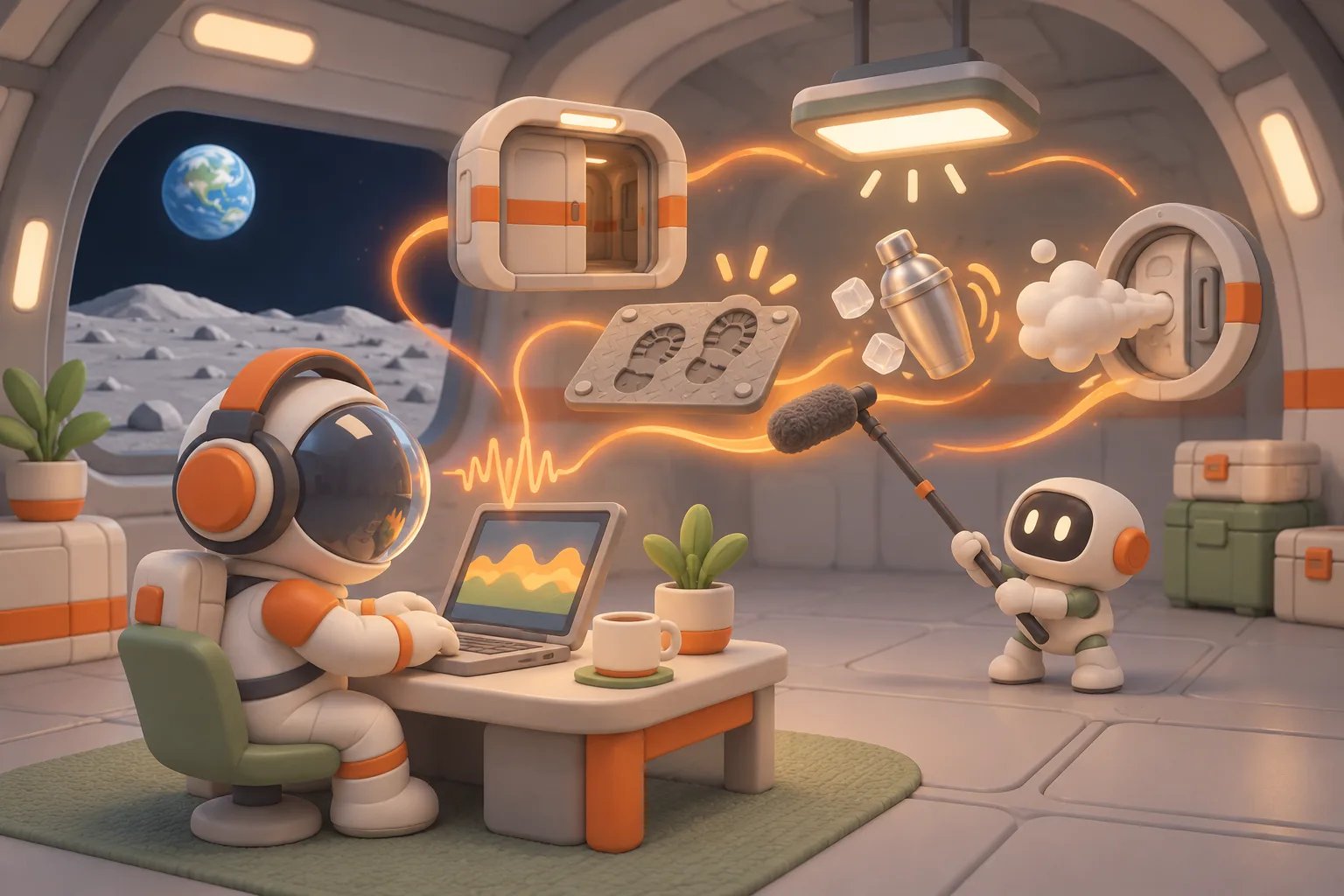
The homepage of my website is a moon base. The main character, Terry, can walk around, pass through sliding doors, and order a signature cocktail at the bar. The visuals keep getting more polished, but it has always had one big flaw: it's almost completely silent. Apart from a few synthesized "beeps" in the mini-games, the sliding doors, footsteps on the metal floor, and the robot shaking a cocktail all happen in silence.
Game sound effects used to mean one of two things: digging through sound libraries one file at a time and checking every license, or paying for a cloud AI sound effect service. Stable Audio 3, which Stability AI announced in May this year, adds a third option. Its Small SFX model is an open model made just for sound effects. It doesn't need a graphics card; a laptop CPU runs it fine.
In this post I cover what Stable Audio 3 Small SFX is, whether you can use it commercially, and how to install it on your own machine. I also show how I used it to make 10 sound effects for the moon base and put them in the game so you can hear them.
What is Stable Audio 3? Small SFX, Medium and the 4 models compared
Stable Audio 3 is a family of AI audio models that Stability AI announced on May 20, 2026. It launched four models at once, and three of them have open weights you can download and run on your own computer:
Model | Parameters | Use | Hardware | Max length |
|---|---|---|---|---|
Small SFX | 433M | Sound effects only | Runs on CPU | 2 min |
Small | 433M | Music | Runs on CPU | 2 min |
Medium | 1.4B | Music, sound effects | NVIDIA GPU | 6 min 20 s |
Large | 2.7B | Music, sound effects | API only, no download | 6 min 20 s |
The previous generation, Stable Audio Open Small, topped out at 11 seconds. This one jumps straight to several minutes. Besides text-to-audio, it supports audio-to-audio (start from an existing sound and give it a different texture) and inpainting (regenerate just a few seconds in the middle and keep everything around it), and you can fine-tune it on your own sound library with LoRA.
The star of this post is the smallest one, Small SFX. Stability is clear about what it's for: generating sound effects right on devices like phones and ordinary laptops. Output is 44.1 kHz stereo, the same spec as typical sound effect libraries.
Can you use Stable Audio 3 commercially? The license in brief
This is the question game developers care about most. Here's what the official docs say:
- The sounds you generate are yours: you can ship and sell them in your own work.
- Under $1M in annual revenue: the Stability AI Community License applies, so individuals and small teams can use it commercially for free.
- Over $1M in annual revenue: you need to buy an Enterprise License.
- The text encoder has its own terms: the model uses Google's T5Gemma, so you also have to follow the Gemma terms of use.
- Training data: Stability says it used about 1.28 million licensed recordings, from the AudioSparx licensed sound library and from Freesound sounds under licenses like CC0 and CC BY.
That last point matters a lot for game developers. The biggest worry with AI-generated content is whether the training data was stolen, and this time Stability spelled out exactly where the data came from.
One more thing: the PyTorch weights on Hugging Face (for example stabilityai/stable-audio-3-small-sfx) are gated, so you have to log in and accept the terms before you can download them. The CPU version I use here comes from a separate repo, stable-audio-3-optimized. Stability says anonymous downloads work there, just rate-limited, and in my test it downloaded fine without logging in. Wherever you download it from, the same license terms apply.
System requirements: no graphics card, a laptop CPU is enough
My laptop has an Intel Core Ultra 5 (6 cores), and its NVIDIA driver isn't working, so effectively it's CPU only. Stability provides several optimized builds:
- TFLite: CPU only, runs on Linux, macOS and Windows (x64), no PyTorch needed. This is the one I use here.
- MLX: Apple Silicon Macs.
- TensorRT: NVIDIA GPUs, the fastest option.
The TFLite Small SFX download (sound model, decoder and text encoder) is about 1.7 GB in total, and it uses about 0.8 GB of RAM while running. Actual generation speed:
Clip length | Time taken (including model load) |
|---|---|
3 s | about 2.9 s |
8 s | about 3.7 s |
30 s | about 8.4 s |
In other words, on a laptop without a graphics card, generating a sound effect takes less time than the sound itself. Tweak the prompt, listen to the result, and one round takes a few seconds.
Installing Stable Audio 3 Small SFX (CPU version)
The official CPU version uses uv to manage Python. The install script creates its own isolated environment and downloads the weights, without touching your system Python.
git clone --depth 1 https://github.com/Stability-AI/stable-audio-3
cd stable-audio-3/optimized/tflite
./install.sh -y --download sm-sfx
--download sm-sfx downloads only the sound effect model.
If you'd rather not type commands yourself, you can hand it to an AI coding assistant like Claude Code or Codex. Open it in your terminal and type:
Please install Stable Audio 3 Small SFX for meIt will find the official install method and download the code and model on its own; anywhere you need to log in to Hugging Face, it will ask you to do that part. Once it's installed, you can keep asking it to generate, convert and trim sound effects for you.
Slow or stuck download? Log in to Hugging Face to lift the rate limit
The model files are hosted on Hugging Face. When you download without logging in (anonymously), Hugging Face caps how much data you can pull in a given period, which is the rate limit: downloads get very slow, or pause halfway and make you wait before they continue. Once you log in with a free account, the limit is much looser, and the same ~1.7 GB usually finishes in a few minutes.
How to lift it:
- Sign up for or log in to a free account at Hugging Face.
- Create a token with Read permission under Access Tokens.
- Run the login command in the install folder and paste the token:
.venv/bin/hf auth loginYour login is saved on your own machine, so later downloads won't get stuck on the rate limit. Run ./install.sh -y --download sm-sfx again and the download picks up. The huggingface-cli login you'll see in older tutorials does the same thing; newer versions of huggingface_hub renamed it to hf auth login.
If you want the PyTorch version (stabilityai/stable-audio-3-small-sfx), on top of logging in you also have to accept the license terms on the model page first, or the download won't work.
Once it's installed, one command generates a sound:
./sa3 --dit sm-sfx --decoder same-s \
  --prompt "TrackType: SFX. Sci-fi sliding door opening, short pneumatic hiss and smooth electric servo whir, close mic, clean recording" \
  --seconds 3 --seed 1 --out door-open.wav
Common options:
--seconds: how many seconds to generate.--seed: the random seed. The same prompt with different seeds gives you different takes.--steps: number of generation steps, default 8. Stability says 8 is the best balance, and more isn't necessarily better.--init-audio,--inpaint-range: audio-to-audio and inpainting.
There's also a web UI, ./sa3-gradio, if you'd rather work in a browser than on the command line.
How to write AI sound effect prompts
The official prompt guide suggests a sound effect description should cover three things:
- The source: what's making the sound, for example "metal sliding door" or "cocktail shaker with ice cubes".
- The action: how the sound is triggered and how long it lasts, for example "opening", "shaken hard", or "sliding across the bar and stopping".
- The recording: mic distance, space and processing, for example "close mic", "metallic room", "clean recording".
Two more small tips:
- Start with
TrackType: SFX.: Stability says this produces more sensible sound effects. - Keep the length short: most sound effects are only a second or two. But the model tends to fill whatever length you give it, so I give it a bit extra and trim the excess afterward.
Prompts have to be in English, and the more they read like file descriptions in a sound library, the better, because that's exactly what it was trained on.
Let Claude Code or Codex write the prompts
Coming up with English descriptions every time gets tiring. You can put the rules above into your AI coding assistant's global config: ~/.claude/CLAUDE.md for Claude Code, ~/.codex/AGENTS.md for Codex. After that, just say "make me a door opening sound" and it will write the prompt this way and generate the sound. Paste this at the end of the file:
## Generating sound effects with Stable Audio 3 Small SFX

When I ask for a sound effect, write the prompt using these rules, then generate it with the local Stable Audio 3 Small SFX:

- Always write the prompt in English and start it with `TrackType: SFX.`.
- Describe three things in order: the source (what makes the sound, what material), the action (how it's triggered, how hard, how long), and the recording (close mic / distant, room tone, clean recording).
- Write it like a sound library file description: concrete nouns plus adjectives. No stories or emotional descriptions, and no music-related words.
- Describe only one sound event at a time; for continuous sounds (footsteps, ambience) say "single" or "loop" explicitly.
- Ask for 1 to 2 seconds more than needed, then trim the excess after generating.
- Generate each prompt once with 3 different seeds, and list the file names and prompts so I can pick.
- For use in a web page or game, trim silence at the start and end, add a short fade-out, normalize loudness, and convert to mp3.
For example, the shaker sound at the moon base bar uses this prompt:
TrackType: SFX. Cocktail shaker shaken hard with ice cubes, rhythmic rattling, close mic, barHands-on: 10 game sound effects for the moon base
I listed the 10 sounds the moon base needed most and generated each one with 3 different seeds, 30 clips in all, in under 2 minutes total. The audio below comes straight out of the model, with only the volume normalized. For the footsteps and the airlock, I've put in actual footage from the game so you can hear how they sound once they're wired in. The full prompt is under each clip:
TrackType: SFX. Sci-fi sliding door opening, short pneumatic hiss and smooth electric servo whir, metal panel gliding, close mic, clean recordingTrackType: SFX. Spaceship airlock cycling, heavy mechanical clunk, long pressure-equalizing air hiss, then a lock latching, metallic roomTrackType: SFX. Footsteps of one person walking at a steady pace on a hollow metal deck floor, rubber-soled boots, indoor, dry, close micTrackType: SFX. Footsteps walking at a steady pace on dry gravel and fine dust, crunchy, outdoors, close micTrackType: SFX. Fluorescent ceiling light switching on, sharp relay click followed by a soft electrical hum, close micTrackType: SFX. Space station interior room tone, steady low ventilation hum, soft air handling, distant machinery, constant, no events, seamless backgroundTrackType: SFX. Cocktail shaker shaken hard with ice cubes, rhythmic rattling, close mic, barTrackType: SFX. Pouring a drink into a glass with ice cubes, liquid splash and ice clinking, close micTrackType: SFX. Glass tumbler sliding across a smooth bar counter and stopping, short friction slide, close micA few observations:
- Sounds with a steady rhythm work best: "footsteps at a steady pace" came out with almost identical spacing between steps (about 0.7 s), which makes them easy to cut into single steps.
- It understands sequences: the airlock clip followed the order "heavy mechanical clunk → long air hiss".
- It fills the length: ask for a 3-second door and you get over two seconds of hiss, longer than a real door, so you'll need to trim.
- Sometimes it adds extra events: one take of the sensor light had an extra "click" in the middle. When that happens, just move on to the next seed.
Game sound design: putting AI sound effects into the game
Generating is only the first step. To make the sounds feel right in the game, they need some processing. The moon base is a web game built with Three.js, and the audio plays through the browser's Web Audio:
- Footsteps cut into single steps: the steps are automatically detected in the 8-second walking recording and saved as 6 single-step files. Every step in the game picks one at random and nudges the pitch slightly, so it never sounds like the same clip on repeat.
- Footsteps synced to heel strikes: I read the foot bone height from the character's walk animation, measure exactly when the heel hits the ground, and play the sound at that moment, instead of on a fixed timer.
- Ambience as a seamless loop: the 30-second ambience crossfades its end into its start, so it loops forever without an audible seam.
- No air on the moon: once you put on the spacesuit and step outside, the ambience gradually fades and gets muffled, and the footsteps get a low-pass filter, as if you're hearing them through a helmet.
- Tied to game events: sliding doors opening and closing, the airlock starting to depressurize or repressurize, corridor sensor lights turning on, and the bar robot shaking and pouring each trigger their own sound, getting quieter with distance.
- A sound toggle in the bottom menu: it remembers your choice.
In the end, all 23 audio files add up to just 632 KB, a tiny load for a web game. Here's how it actually sounds (turn your sound on):
Limitations of Stable Audio 3 Small SFX
After a full round with it, here's what you should know up front:
- Sound effects only: Small SFX doesn't make music. For music you'll need Small or Medium.
- Prompts have to be in English: it only understands English.
- Generate several takes and pick: with the same prompt, quality varies quite a bit between seeds. Luckily generation is fast, so producing 3 to 5 takes and picking one is the quickest approach.
- The output still needs editing: length, leading silence and volume all need work before a clip can go straight into the game. You can hand this to Claude Code or Codex: have it spin up a separate subagent as an independent sound reviewer whose only job is checking the results, such as whether there's silence at the start, whether the length is right, whether there are sounds that shouldn't be there, and whether the clips are consistent in volume. It picks the best take, trims it, and hands it back to the main agent to put in the game. Since the reviewing agent wasn't involved in generating, it's less likely to grade its own work too generously.
- It doesn't know what's happening in your game: when a sound plays, how loud it is, whether it gets muffled, all of that is still yours to design in the game.
The biggest win for indie developers: you can add sound from day one
When I'm building a game with an AI coding assistant, I think Small SFX's biggest value isn't the audio quality. It's that it lets you add sound effects early in development.
Early on, it's hard to know whether these sounds will make the final cut, and that's fine. Treat them as placeholders: generate one each for the door, footsteps and buttons, and wire up the trigger code. When you want a better version later, you just swap in a file with the same name. The trigger timing, volume and distance settings don't need to be redone.
If you wait until the game is almost done to add sound, it takes several times more time and tokens. The reason is how the agent figures out where sounds go: it has to screenshot and analyze the game frame by frame, understanding the story and the actions, before it knows when a door opens, when a foot lands, and where sound is needed. The bigger the game, the more frames it has to go back through. If instead you add the sound while building each feature, the agent already knows what it just wrote and doesn't have to look back.
Wrapping up: game sound effects from a single laptop
I used to think sound was the hardest part to fill in as a solo game developer: sound libraries rarely have exactly what you need, and I don't have the gear to record my own. Stable Audio 3 Small SFX lowers the bar to "one laptop, one English description, a few seconds", and it's commercially usable with licensed training data, which makes it very friendly for indie developers.
The moon base finally has sound. How do you handle sound effects when you make games? Come find my posts on Threads or X and leave a comment.