What Is n8n? Free Self-Hosted Setup with Docker and AI Agent
n8n is a free, self-hostable workflow automation tool. Docker install, a first workflow, AI Agent, MCP and pricing.

n8n is a source-available workflow automation tool. You wire up "what comes in → what happens to it → where it goes" by connecting nodes on a canvas, much like Zapier or Make, except you can run it for free on your own computer or server. I installed it on my laptop with Docker, built a workflow that pulls the latest posts from this blog, and hooked up an AI Agent to see how that part works.
Key results
Item | Result |
|---|---|
Install | One Docker command, then open |
First launch | Create an owner account and you're in, no credit card |
Image size | About 2 GB |
Idle memory | About 480 MB |
Restart to ready | About 5 seconds |
First workflow | Read RSS, keep the latest 3 posts, reduce them to title and link; worked on the first run |
Self-hosting cost | Community Edition is free, with no execution limit stated by n8n |
Cloud cost | From €20 a month billed annually (about $22) |
n8n is best at collecting and cleaning data from many sources. To be honest, I rarely drag nodes around myself. I have Claude Code or Codex build the workflow, and my job is to explain clearly what I want.
What is n8n?
n8n is made by a company founded in Berlin, Germany, in 2019. The founder is Jan Oberhauser. The name comes from nodemation (node plus automation) and is pronounced "n eight n".
You place nodes on a canvas and connect them with lines:
- Trigger nodes: decide when a workflow starts, such as a manual run, a fixed time every day, an incoming webhook or a chat message.
- Action nodes: read data, change data and call services, such as reading an RSS feed, writing to Google Sheets or sending a Slack or Telegram message.
- AI nodes: connect OpenAI, Anthropic, Google or open-source models so AI can decide what to do next.
For services without a built-in node, you can call their API directly with the HTTP Request node, or process data yourself in JavaScript or Python inside a Code node.
n8n vs Zapier and Make
All three connect different services together. The biggest difference is that n8n can be self-hosted:
n8n | Zapier, Make | |
|---|---|---|
Run it on your own computer or server | Yes, Community Edition is free | No, cloud only |
Billing unit | One full workflow run counts as one execution | Billed by the steps or operations in a workflow |
Source code | Public on GitHub | Closed |
n8n's definition of an execution is one full run of a workflow, no matter how many steps it has or how much data it processes. For workflows with many steps, that's the better deal.
Is n8n free? Is it open source? Can you use it commercially?
The self-hosted Community Edition is free, and the source code is on GitHub. n8n doesn't use a traditional open-source license, though. It calls itself "fair-code" and uses its own Sustainable Use License:
- Allowed: internal business use, personal use, non-commercial use, and modifying the code.
- Not allowed: offering n8n to others for a fee, for example packaging it as an automation service and selling it to clients.
In short, running automation for your own company is fine. If you want to turn it into a product you sell, you need to talk to n8n about a license.
Team features on self-hosted n8n, such as single sign-on (SSO), multiple environments and Git version control, only unlock with a Business or Enterprise license key.
n8n pricing: which cloud plan?
If you don't want to maintain a server, there's n8n's official cloud. The website only lists monthly prices in euros, billed annually:
Plan | Per month, billed annually | Executions per month | Concurrent executions |
|---|---|---|---|
Starter | €20 (about $22) | 2,500 | 5 |
Pro | €50 (about $55) | 10,000 | Up to 50 |
Business | €667 (about $733) | 40,000 | Not listed |
Enterprise | Contact sales | Custom | 200+ |
Converted at €1 ≈ $1.10; the actual charge depends on your card's exchange rate. Monthly billing costs more than annual, and the site says annual saves 17%.
- The Business plan is currently self-hosted only. You're buying a license key, not cloud hosting, and the site says it's for companies with fewer than 100 employees.
- Every plan has unlimited workflows and users. The differences are executions, how long a single execution can run and how long execution logs are kept.
- The cloud version has a free 14-day trial with no credit card, and you get 1,000 executions during the trial.
- If you don't upgrade when the trial ends, n8n deletes your cloud workspace, and you can still download your workflows for 90 days after that.
- Cloud data is stored on servers in Frankfurt, Germany.
How to install n8n: self-host with Docker
n8n recommends Docker. Install Docker first, then run two commands:
docker volume create n8n_data

docker run -it --rm \
  --name n8n \
  -p 5678:5678 \
  -e GENERIC_TIMEZONE="America/New_York" \
  -e TZ="America/New_York" \
  -e N8N_ENFORCE_SETTINGS_FILE_PERMISSIONS=true \
  -v n8n_data:/home/node/.n8n \
docker.n8n.io/n8nio/n8n- The first command creates a Docker volume. Workflows, accounts and credentials live there, so your data survives even if the container is deleted.
GENERIC_TIMEZONEandTZset the time zone the Schedule Trigger runs on. The default is America/New_York, so if you're not on US Eastern time, remember to change both to your own time zone.- To keep it running in the background, replace
-it --rmwith-d.
Once it's running, open http://localhost:5678 in your browser and you'll be asked to create an owner account:
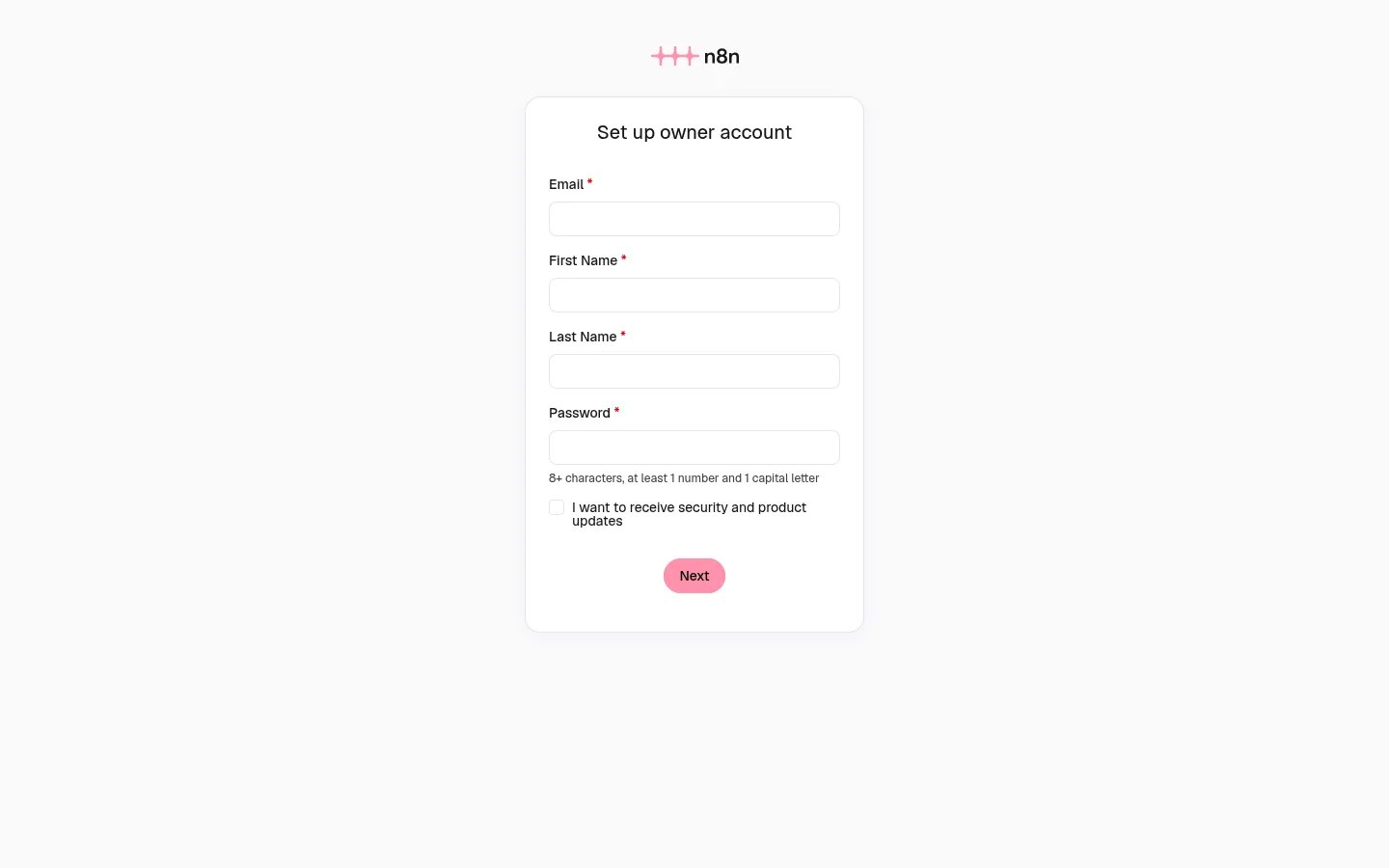
This account only exists inside your own n8n. It isn't registered with n8n the company.
If you'd rather skip Docker, you can run npx n8n with Node.js. n8n requires Node.js 20.19 through 24, and it has already said future major versions will drop support for npm installs, so I'd just go with Docker.
First n8n workflow: pull the latest blog posts automatically
My first workflow reads this blog's RSS feed, keeps the latest 3 posts and retains only their titles and links. It uses 4 nodes:
- Manual Trigger: runs when you click "Execute workflow".
- RSS Read: URL set to
https://terryl.in/en/blog/rss.xml. - Limit: keeps the first 3 items.
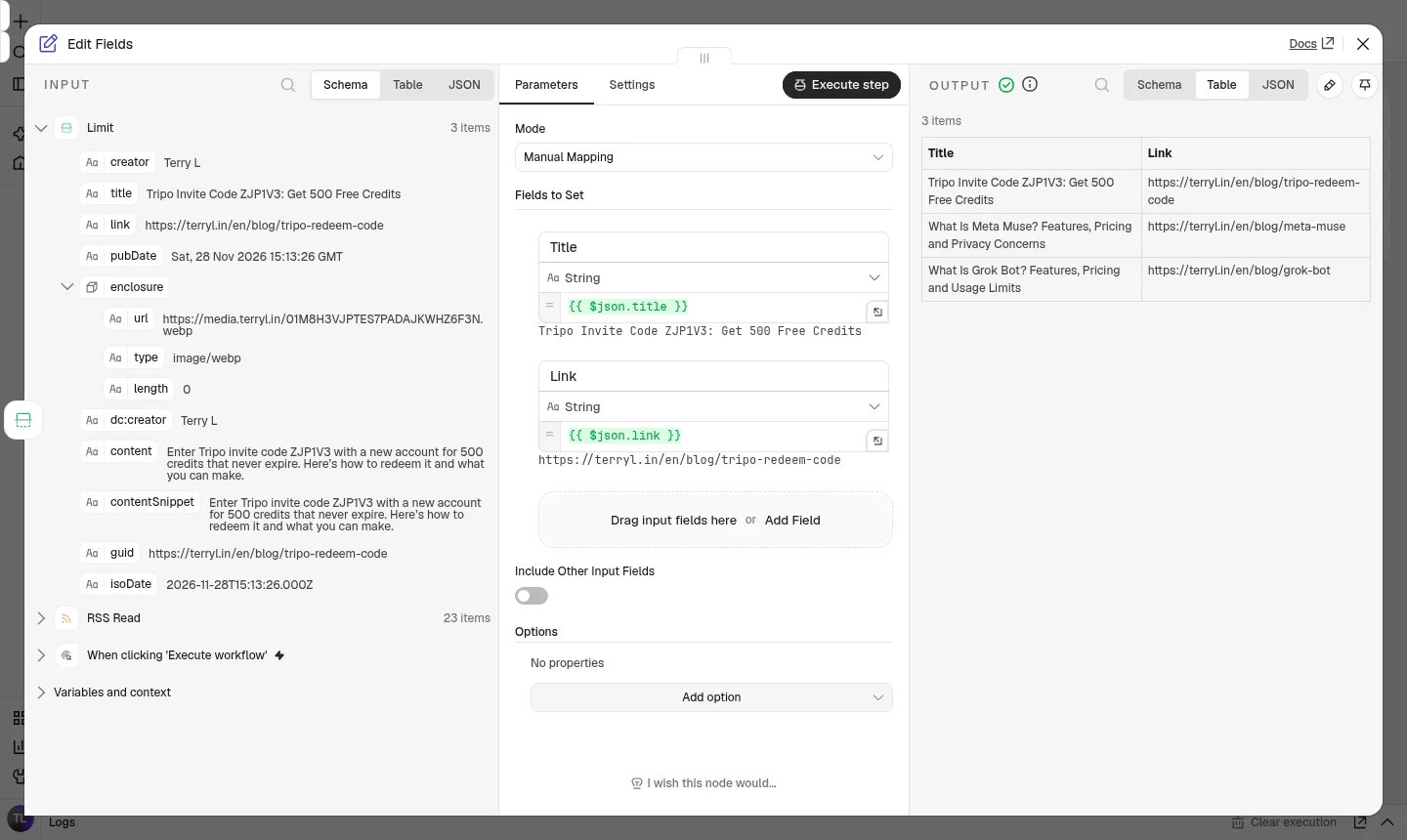
- Edit Fields: add two fields, "Title" and "Link", then drag in
{{ $json.title }}and{{ $json.link }}as their respective values.
Click execute and every node gets a green check mark, with the number of items at each step shown on the lines: RSS Read returned 23 posts, and 3 were left after Limit.
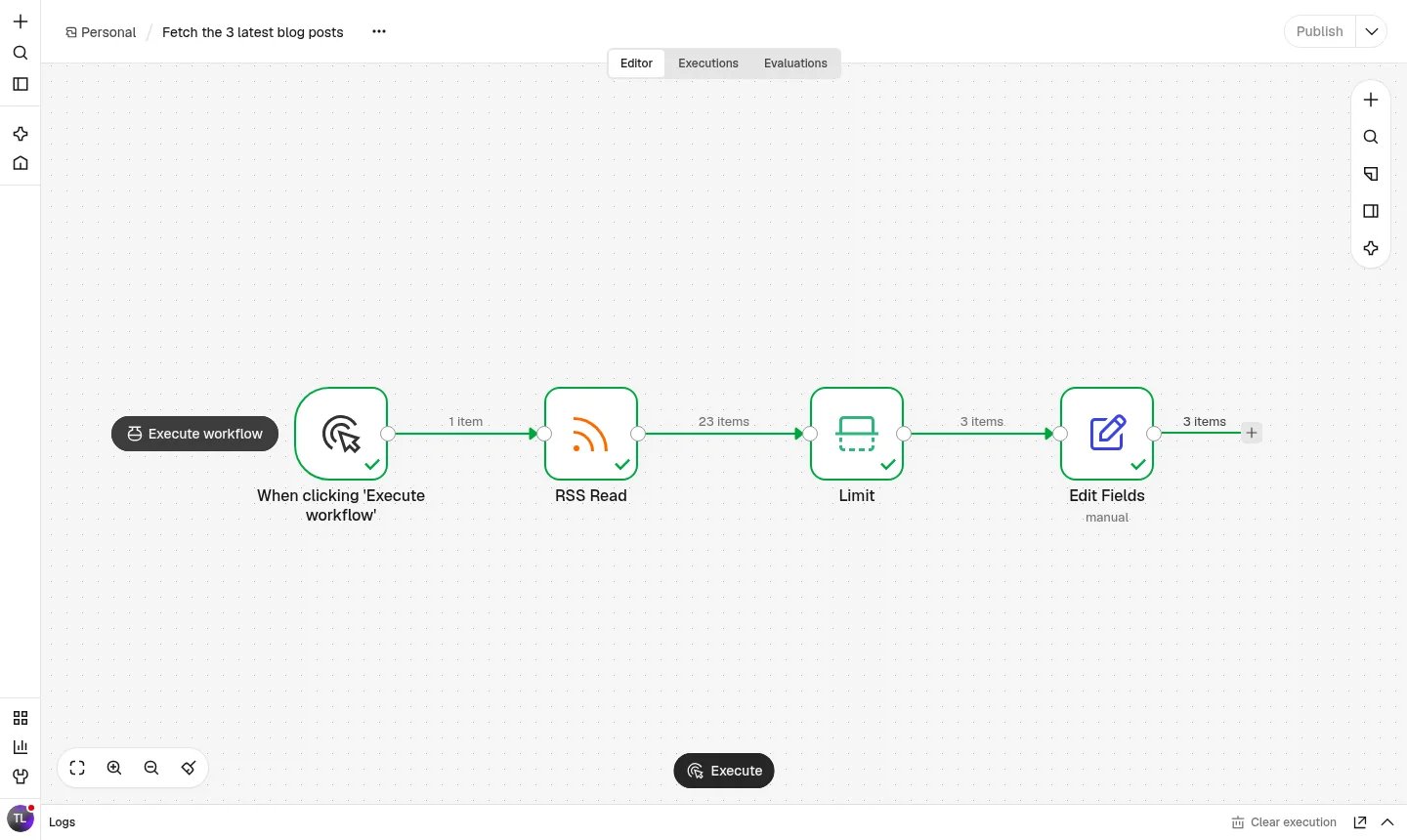
Double-click any node to see its input, settings and output side by side. Even when AI built the workflow, you can open the canvas and see what the data looks like at every step, which makes problems easy to find.
To run it automatically every day, swap Manual Trigger for a Schedule Trigger with a set time, connect the last step to wherever you want to be notified, such as Slack, Telegram or email, and click Publish in the top-right corner to activate it.
Don't want to drag nodes? Let Claude Code or Codex build it via API or MCP
Here's a little secret: when I use n8n, I almost never drag nodes one by one. Every workflow is just a JSON file, so having AI write it is fastest, and it's simpler than you'd think. There are two ways to let AI work with n8n.
Method 1: give the AI an API key
This is what I usually do:
- In n8n, go to Settings → n8n API and click Create API key.
- Store the key in a
.envfile or an environment variable, then tell Codex or Claude Code where the key is and what your n8n URL is. - Describe the workflow in plain language, for example "Every day at 9 a.m., read these three RSS feeds, remove duplicates and send the titles to my Telegram." The AI writes the workflow and creates it in n8n through the API.
- Open n8n, take a look, run a test, and Publish if it's fine.
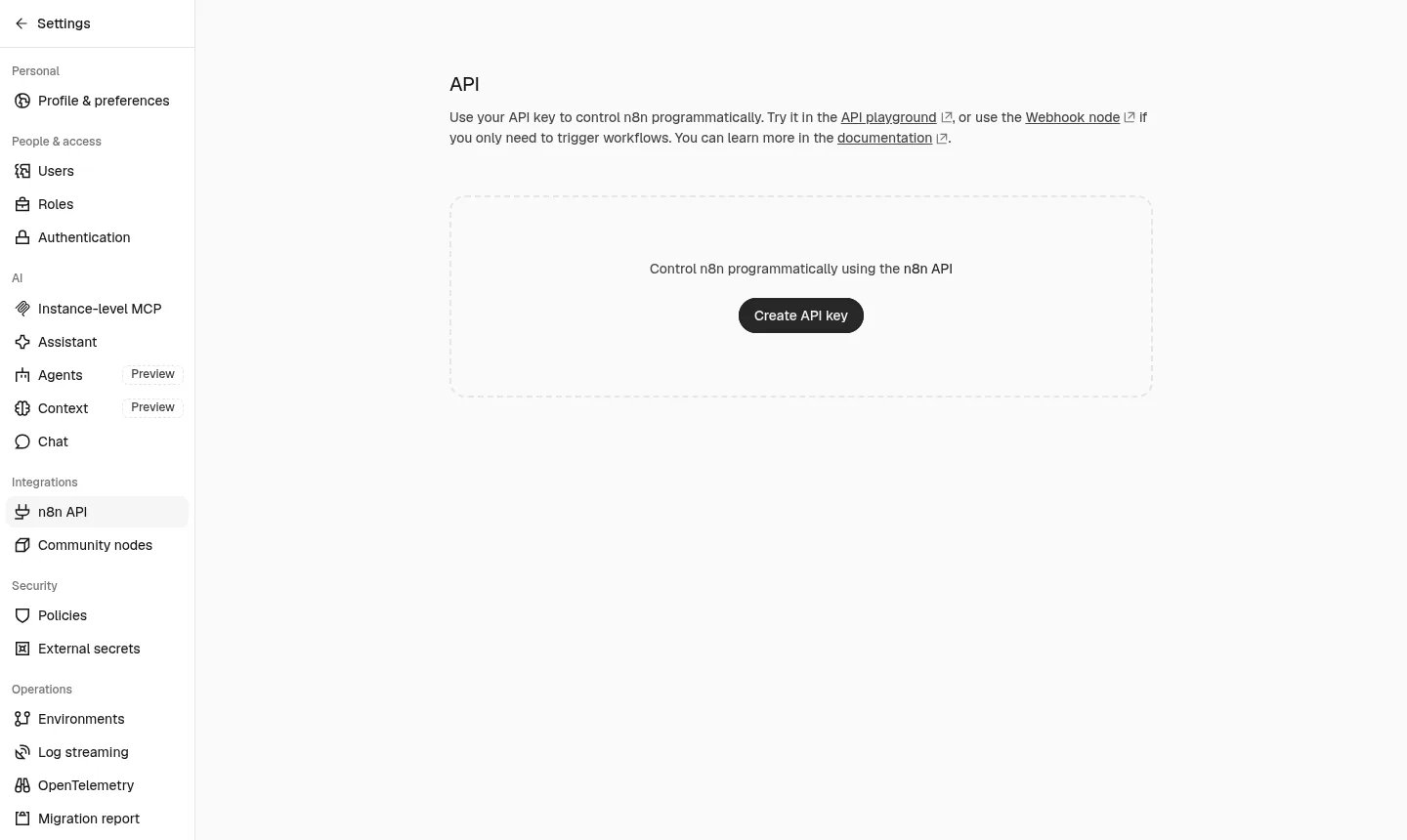
An API key can do a lot, including changing credentials, users and roles. When you create one you can choose its scopes and expiry date, so for a key meant for AI, I'd only enable workflow-related permissions. Just tell the AI which file the key is in. Don't paste the key itself into the chat, and don't push that file to GitHub.
Method 2: turn on n8n's built-in MCP server
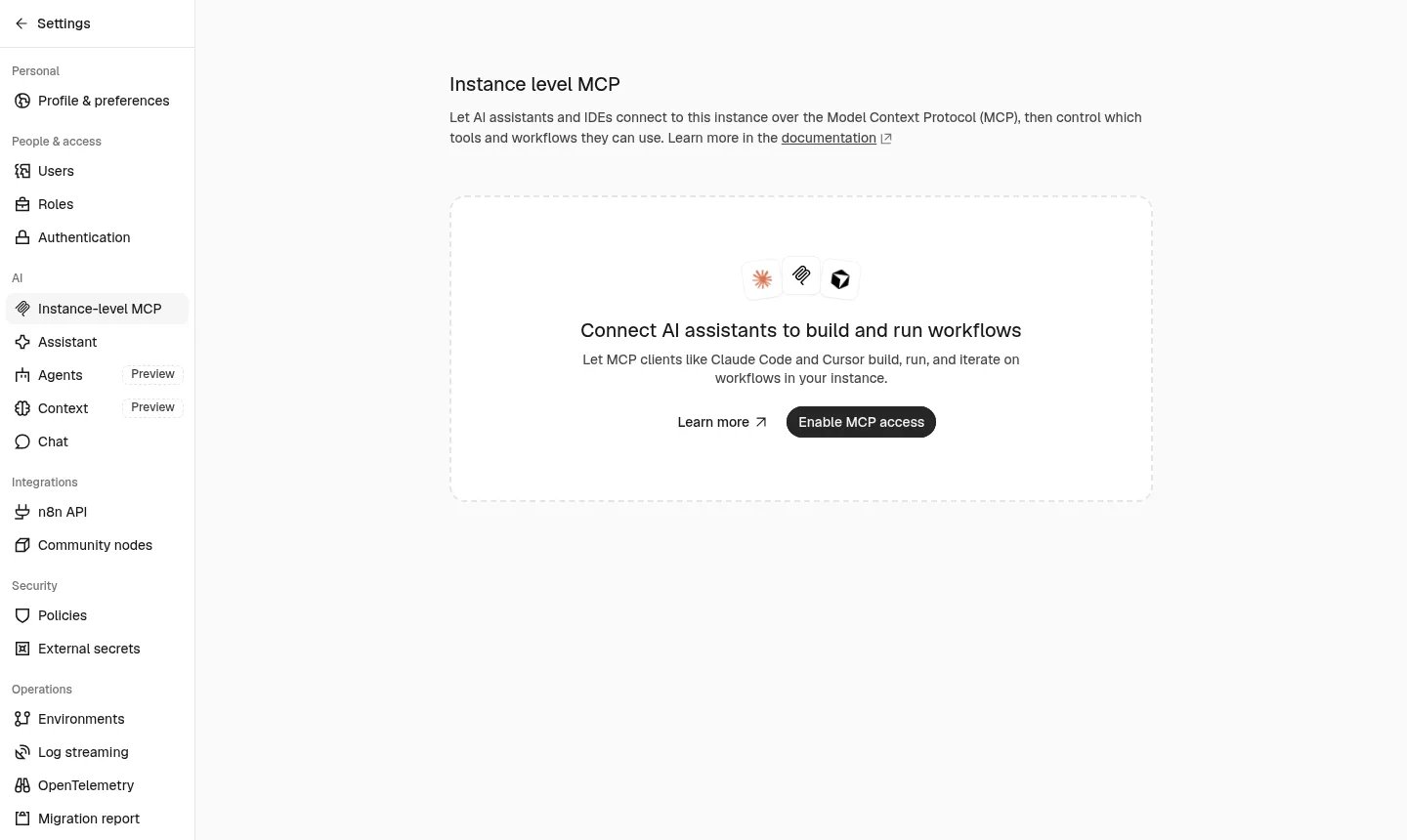
n8n also has a built-in MCP server. Go to Settings → Instance-level MCP and click Enable MCP access. Claude Code connects with one command:
claude mcp add --transport http n8n http://localhost:5678/mcp-server/httpIf n8n runs on a remote server, swap the URL for your domain. You can connect with an OAuth login or an access token generated by n8n.
Both methods can create and edit workflows. Here's where they differ:
API key | Built-in MCP | |
|---|---|---|
Create, edit and publish workflows | Yes | Yes |
Validate the workflow and node settings before saving | No | Yes |
Look up node docs and recommended usage | No | Yes |
Run and test workflows directly | No, you need a webhook to trigger them | Yes, and tests can use mock data |
Credentials (API keys, usernames and passwords) | Can create, edit and delete | Can only list them, no access to contents |
Users, projects and roles | Can manage | Read only |
Which workflows it can touch | Everything the account can see | Only those marked "Available in MCP" |
For asking AI to build workflows, MCP is smoother: if the AI gets something wrong, it can validate, test and fix it on its own, and it can't touch your credentials. You only need an API key for scripts that bulk-manage accounts or migrate settings.
The drag-and-drop canvas is still useful: once the AI has built something, you can open it and understand the whole workflow, and spot a failing step at a glance.
n8n AI Agent tutorial: connecting a model, memory and tools
The n8n AI Agent node has three slots underneath it:
- Chat Model: which model to use. Required. You can connect OpenAI, Anthropic, Google or a self-hosted open-source model.
- Memory: remembers earlier messages in the conversation, for example Simple Memory.
- Tool: tools the AI can use. You need at least one. The AI decides on its own when to call which tool.
I turned the RSS Read node from above into a tool for the AI Agent and put a chat trigger in front of it. That made it a chatbot you can ask "What has the blog posted lately?":
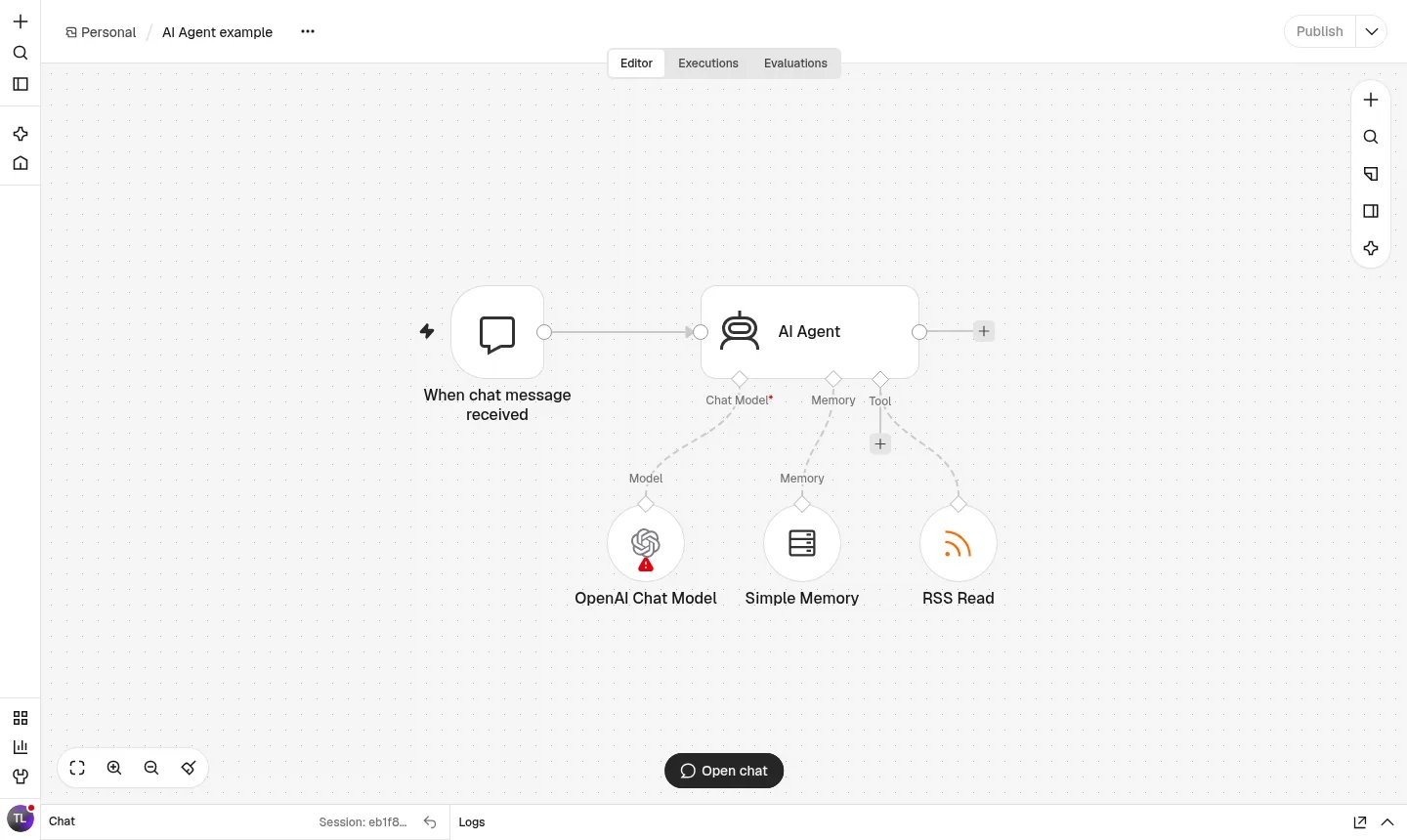
The model node needs an API key before it can run, and the red triangle on screen is reminding you of that.
With AI agents such as Grok Bot and Meta Muse, you hand over a task and let them handle it. With n8n’s AI Agent, what it can do depends entirely on the tools you connect, and you can see every step.
n8n MCP Server: let Claude call your workflows
n8n has two nodes related to MCP (Model Context Protocol):
- MCP Server Trigger: turns n8n into an MCP server so AI tools that support MCP, like Claude or Cursor, can call the workflows you built in n8n.
- MCP Client Tool: the other direction, letting an n8n AI Agent use tools provided by someone else's MCP server.
MCP Server Trigger supports SSE and Streamable HTTP connections, not stdio. In other words, the AI tool has to connect to n8n through a URL.
I wrote a Higgsfield MCP tutorial earlier, so read that first if you want to know what MCP is.
What is n8n used for? 5 automation use cases
After installing it, I planned out 5 workflows I'd actually use. Here's the overview:
Use case | Trigger | Workflow | Result |
|---|---|---|---|
1. Trending topics to auto-posting | A fixed time every day | Collect from several sources → filter → local Codex or Claude Code analysis → prepare material → agent posts | Social posts |
2. Weekly SEO report | Monday morning | Pull Search Console data → AI writes a summary of the highlights | Sent to email |
3. Price and plan change tracking | A fixed time every day | Fetch tools' pricing pages → compare with last time → notify only on changes | Telegram alert |
4. Email and form triage | New email or form submission | AI judges type and urgency → writes it to a spreadsheet | A sorted to-do list |
5. Auto changelog from GitHub releases | A new release | Read commits and issues → AI turns them into notes players can understand | Posted to Discord |
Use case 1: trending topics to auto-posting
This is the workflow I want most. The most time-consuming part of blogging isn't writing, it's finding topics: I have to check several sites every day just to know what people are talking about. With n8n, the workflow looks like this:
- Collect: a Schedule Trigger starts every morning and pulls from several sources at once. RSS Read covers tech news and official blogs, Reddit and Hacker News have built-in nodes, and other sites get scraped with HTTP Request.
- Filter: a Filter node drops duplicates, old items and anything off-topic, keeping only items about AI tools and game development.
- Analyze: hand the remaining list to a local Codex (
codex exec) or Claude Code (claude -p) and ask which ones are worth writing about and what angle to take on each. - Prepare material: for the chosen topics, have AI pull out the key points, find official sources and draft the posts.
- Review: the Telegram node has "Send and Wait for Response", which sends the draft to my phone and waits for me to approve before continuing.
- Post: once approved, an agent publishes it. X has a built-in node, and Threads can be reached through its official API with HTTP Request.
Step 3 has two catches:
- The Execute Command node, which runs shell commands, is disabled by default. The version I installed has it turned off out of the box. To use it, you have to remove it from the
NODES_EXCLUDEenvironment variable. n8n does this for security: once it's on, a workflow can run any command on the host. - n8n runs inside Docker, so commands run inside the container and can't reach the Codex or Claude Code installed on your computer. A cleaner approach is to use the SSH node to connect back to your own machine, or run a small API on your computer and have n8n call it with HTTP Request.
I strongly recommend keeping the human review in step 5. AI picks topics fast, but someone still needs to check for copyright problems and factual errors before anything goes out.
The ones below are uses I've planned but haven't fully built yet.
Use case 2: weekly SEO report
A Schedule Trigger starts every Monday morning, uses HTTP Request to call the Search Console API, pulls last week's clicks, impressions and the pages with the biggest ranking changes, has AI boil it down to three to five lines, and emails it to me with the Gmail node. No more logging in every week to dig through the dashboard; I just read the changes the AI picked out.
Use case 3: price and plan change tracking
I write a lot of AI tool pricing comparisons, and my biggest worry is a vendor changing prices without my posts keeping up. This workflow fetches each tool's pricing page once a day, extracts the pricing block with the HTML node, compares it with the stored copy from last time, and only sends me a Telegram alert when something changed, along with a list of posts that need updating.
Use case 4: email and form triage
When the Gmail Trigger gets a new email, or a form on the site is submitted, the content goes to an AI Agent that decides whether it's a project inquiry, a partnership offer, a support question or spam, estimates the urgency, and writes it to Google Sheets. Urgent ones also go to Slack or Telegram. In the morning, I open the spreadsheet and there's a prioritized to-do list.
Use case 5: auto changelog from GitHub releases
A GitHub Trigger fires when you publish a new release, reads that release's commits and closed issues, has AI rewrite them as update notes players or users can understand, strips out engineering details like "fix typo", and posts it to your community channel with the Discord node. Indie game developers have to write these for every update, so this one saves the most effort.
What is n8n?
n8n is a source-available workflow automation tool that connects different services by wiring nodes together, for example reading RSS, writing to a spreadsheet, sending messages or calling AI models. It's similar to Zapier and Make, but you can self-host it for free.
Is n8n free?
The self-hosted Community Edition is free, with no execution limit stated by n8n. The cloud version is paid, starting at €20 a month billed annually, with a free 14-day trial.
Can I use n8n commercially?
Yes, for internal automation at your company. The license doesn't allow offering n8n to others for a fee, for example packaging it as a service and selling it to clients; for that you need to negotiate a license with n8n.
Where is n8n from, and who made it?
n8n is a German company founded in Berlin in 2019 by Jan Oberhauser. The name comes from nodemation (node plus automation) and is pronounced "n eight n".
Is the n8n interface available in other languages?
The interface is English only; the version I installed only ships with the English locale. Workflow and field names can be in any language, and the data is processed as usual.
Does the n8n AI Agent cost money?
Self-hosted n8n is free, but the AI Agent needs a language model, such as one from OpenAI, Anthropic or Google. It uses your own API key, and the model provider charges for usage.
My take: splitting work with workflows beats dumping everything on an AI agent
These days you could also hand data collection straight to an AI agent like Grok Bot, OpenClaw or Hermes Agent. The problem is that data pulled from different sources hasn't been cleaned yet. Duplicates, irrelevant items and messy formatting are all mixed together, and if you dump the whole lot on an agent, most of the tokens go to reading that noise.
The more efficient approach is to build a workflow first. Rule-based work like collecting, deduplicating and filtering goes to n8n and doesn't cost a single token. Only the parts that need judgment, like which topic is worth writing about and what angle to take, go to Codex or Claude Code. Let each tool do what it's best at, and the whole process ends up faster and cheaper. And you don't have to build the workflow by hand either. Let Codex or Claude Code build it through MCP or the API, and all you have to do is explain clearly what you want.
If you've built something fun with n8n, come share it with me on Threads or X.