AI 3D Model Generator Test: Blender Script vs Tripo AI Image to 3D
Can an AI 3D model generator turn concept art into a game character? I compared Blender scripts with Tripo AI image to 3D, then rigged and animated it as a game character.
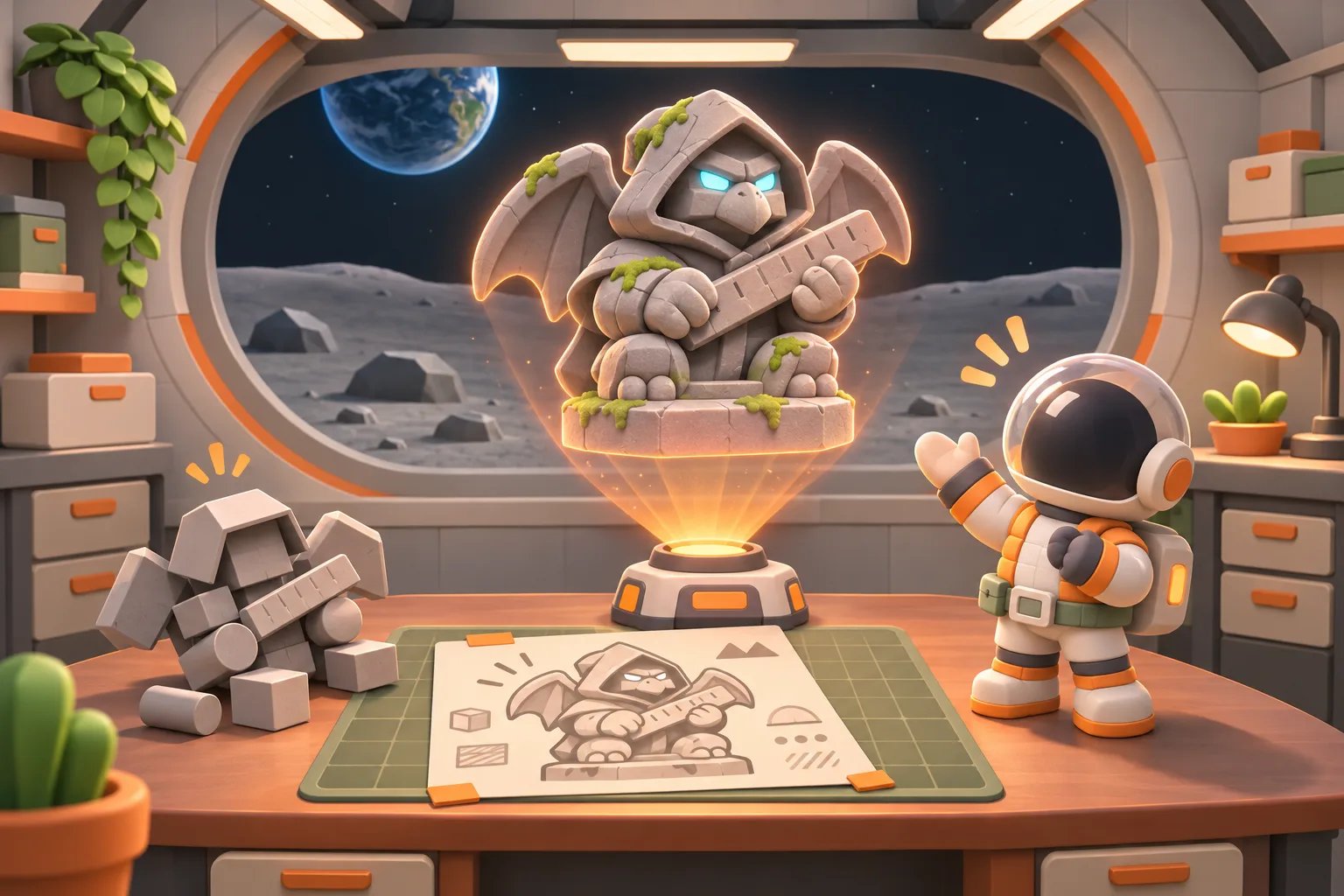
I've been making a 3D RPG lately, and I needed a new monster: a stone statue. It lives in the ruins, carries a long stone ruler, and looks mean, but its proportions are kind of cute.
I handed the whole process to AI: draw the concept art first, turn it into a model with AI 3D modeling, then drop it into Godot. Step one came out gorgeous. Step two was a disaster. This post compares two ways of doing AI 3D modeling: having AI write a Blender script to build the model from scratch, and using Tripo AI to turn the concept art from 2D to 3D. At the end, I clean the model up into a character that actually moves in the game.
Step 1: Concept art with Codex, first try
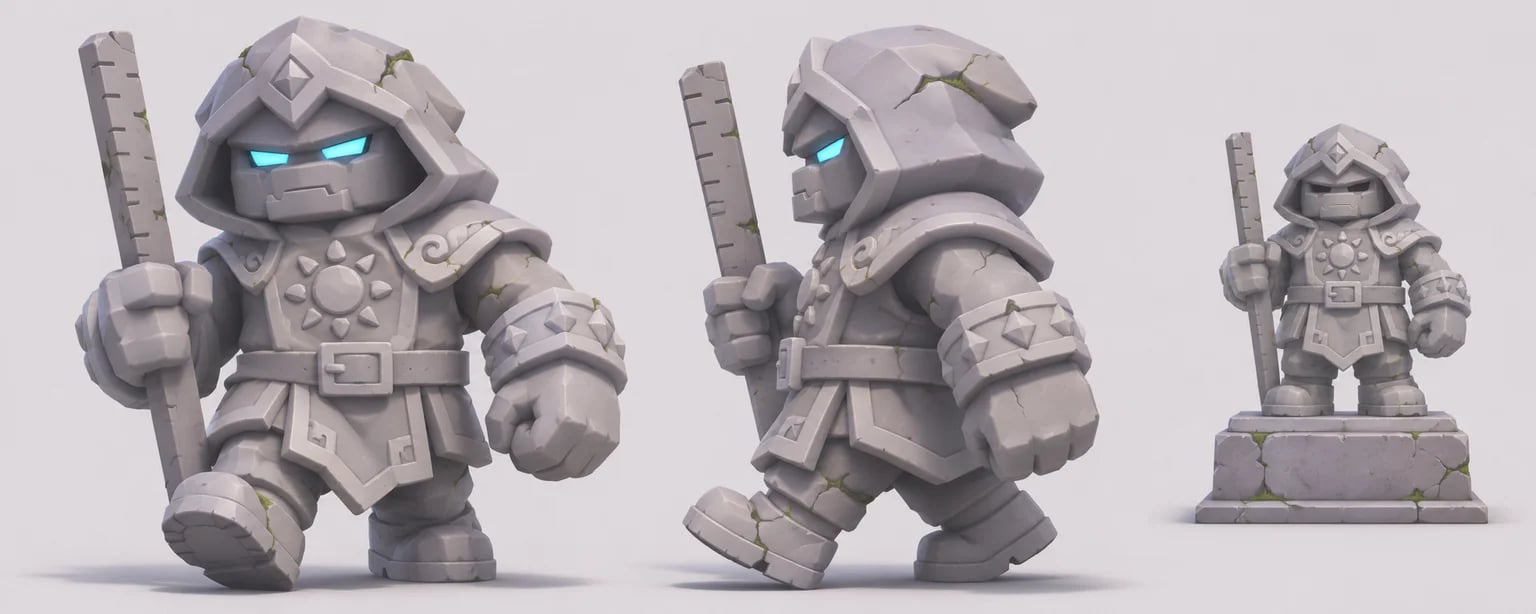
I made the concept art with the Codex CLI calling gpt-image. I gave it a reference image of a character already in the game, then spelled out the statue monster's design:
- About 2.2 meters tall, with toy-like proportions: big head, short legs
- Pale gray weathered stone, with a bit of moss in the cracks
- A carved stone hood, a robe with a sun emblem on the chest, and a belt with a square buckle
- Eyes that are two thin slits glowing blue, the only light on its body
- Front view, side view, and the statue standing still on a pedestal, all in one image
What came back was almost exactly what I had in my head: cute proportions, plenty of detail, and it fits right in next to the other characters in the game. So far, so good.
Step 2: Letting AI build it with a Blender script went sideways
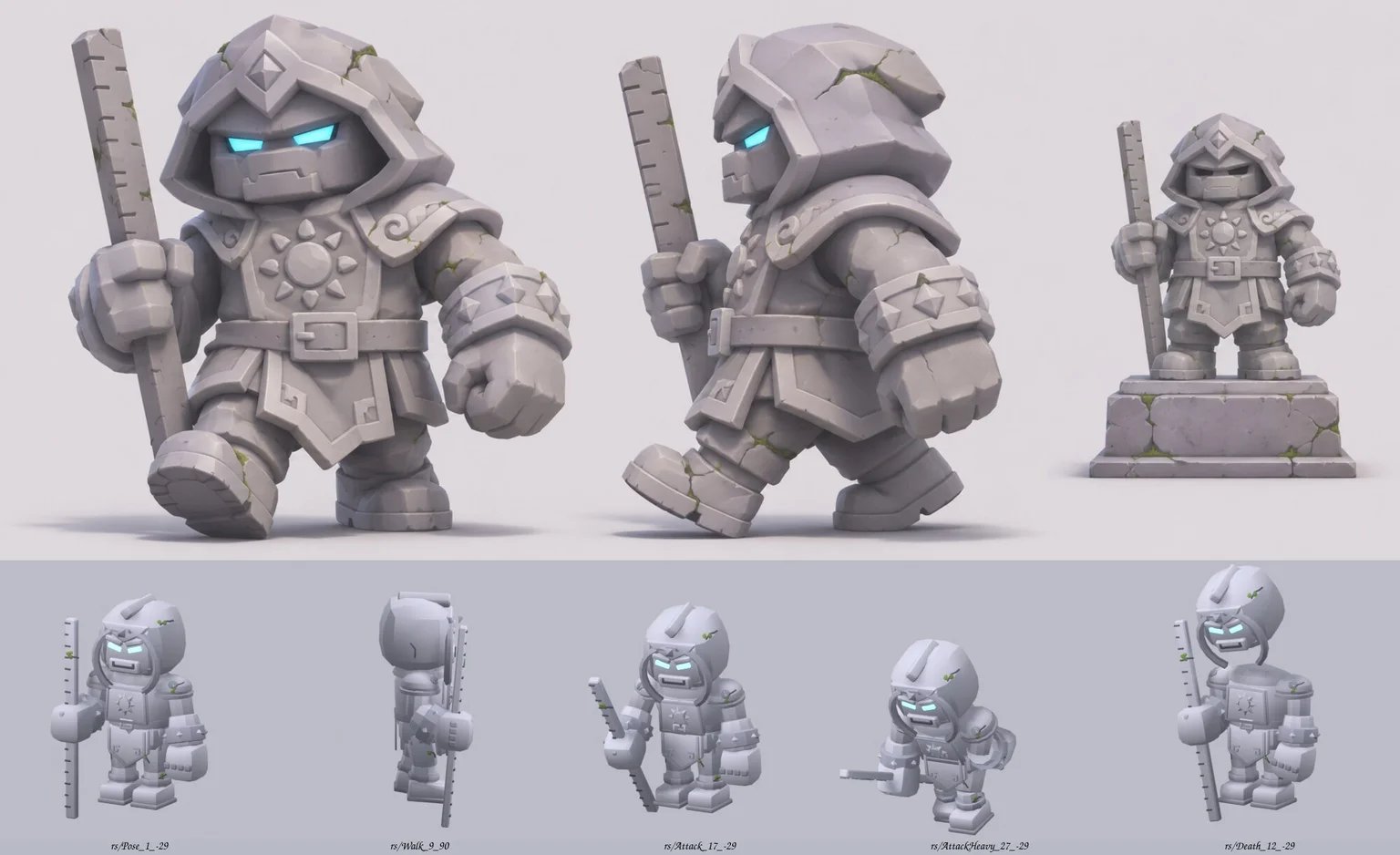
Next, I asked AI to write a Blender Python script that "assembles" the model from the concept art. This is what a lot of people picture when they hear "Blender AI" modeling: the head is a cube with a bevel, the body, arms, and legs are a few cubes and cylinders, and everything gets placed piece by piece. While it was at it, it also built the rig and the idle, walk, attack, and death animations.
Technically, it did all of it. The model moves, and it exports to GLB for Godot. But put it next to the concept art and the gap is obvious at a glance:
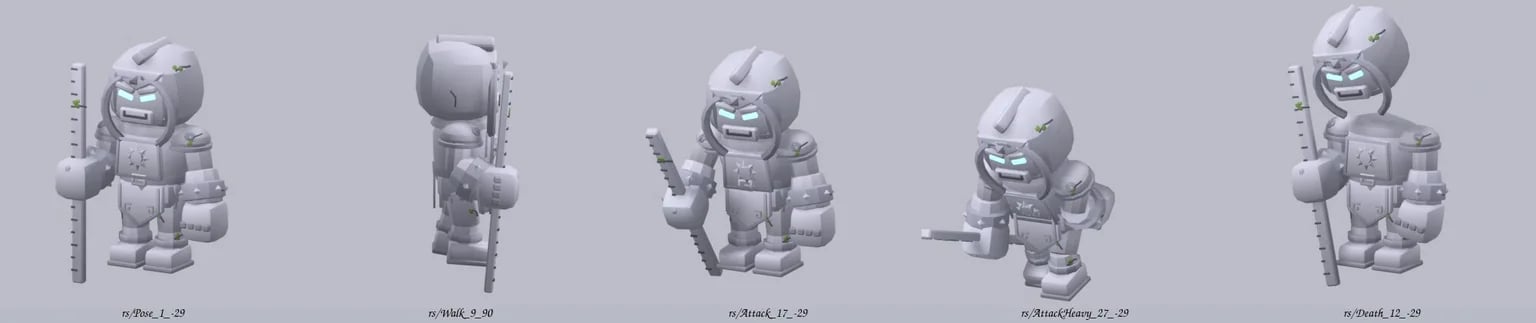
- It looks like building blocks: the rounded hood and chunky fists from the concept art turned into a bunch of boxes stuck together.
- The proportions are off: the head-to-body ratio and the size of the hands are wrong, and the chubby, cute feel of the concept art is gone.
- The details are missing: the folds in the robe, the belt buckle, the cracks in the stone are hard to make one by one in a script, and when they do get made, they look stiff.
- No material: the stone texture, the grime, and the layers of moss in the concept art are reduced to one flat gray.
Why building models with AI-written scripts fails
The problem isn't that the AI isn't smart enough. The method itself is the wrong fit.
Modeling with a script means asking the AI to "describe the coordinates and size of every shape in text." That works great for boxy things like tables, walls, and pillars. But a character is a lump of curves and volume, and it's hard to break it down into a few basic shapes. On top of that, the AI can't see what it's making while it writes the script. All it can do is render, compare, and fix, round after round, and eventually each round barely improves anything.
Put simply, the concept art was "drawn," but the model was "assembled." The two use completely different methods, so of course they don't match.
The fix: turn concept art into a 3D model
Since I already had concept art I was happy with, the more direct approach was this: let a tool look at the image and generate the 3D model from it. These tools turn an image into a 3D model, a process often called "image to 3D" or "2D to 3D": in other words, using AI to generate 3D models. Photos, hand drawings, and AI concept art all work as input. I went with Tripo AI (often called Tripo 3D).
What Tripo can do:
- Image to 3D: upload one image, or several angles of the same character, and get a textured 3D model.
- Auto-rigging: humanoid characters can be rigged automatically, then you apply animations.
- Common formats: export to GLB, FBX, OBJ, and more, ready for Godot, Unity, and Blender.
- Free plan: you can try it first. Check the official site for credits and pricing.
Tripo AI test: turning the statue monster's concept art into a 3D model
I threw the whole concept art image into Tripo without touching it. Here's the GLB I downloaded:
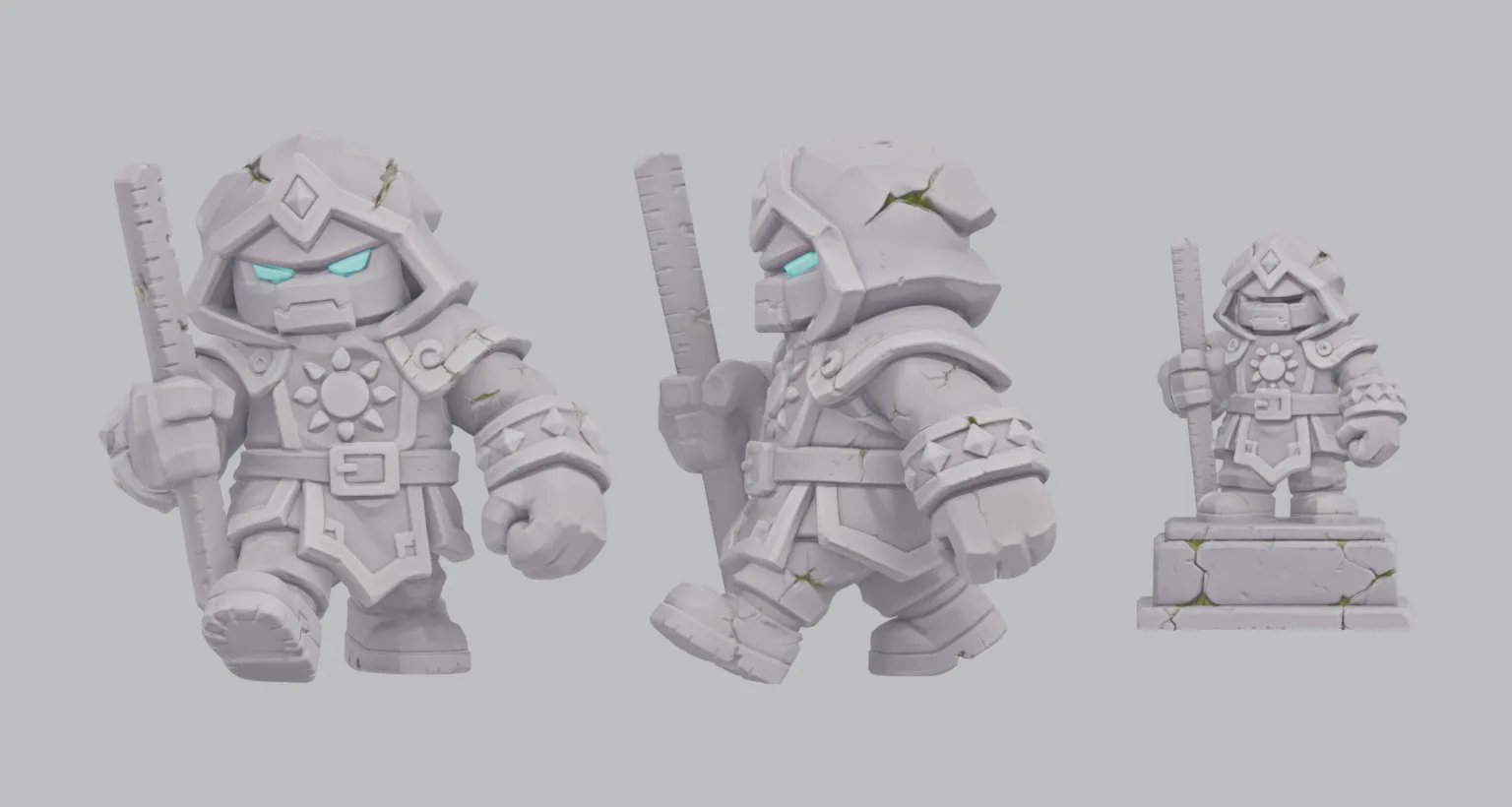
My first reaction: this is the statue monster I wanted. The diamond on the hood, the sun emblem on the chest, the square belt buckle, the ring of spikes on the wrists, the stone ruler with its tick marks, all of it is there. There's even a little moss in the cracks, and the eyes glow blue. If I'd had to make each of these details in a script, I'd still be fixing it.
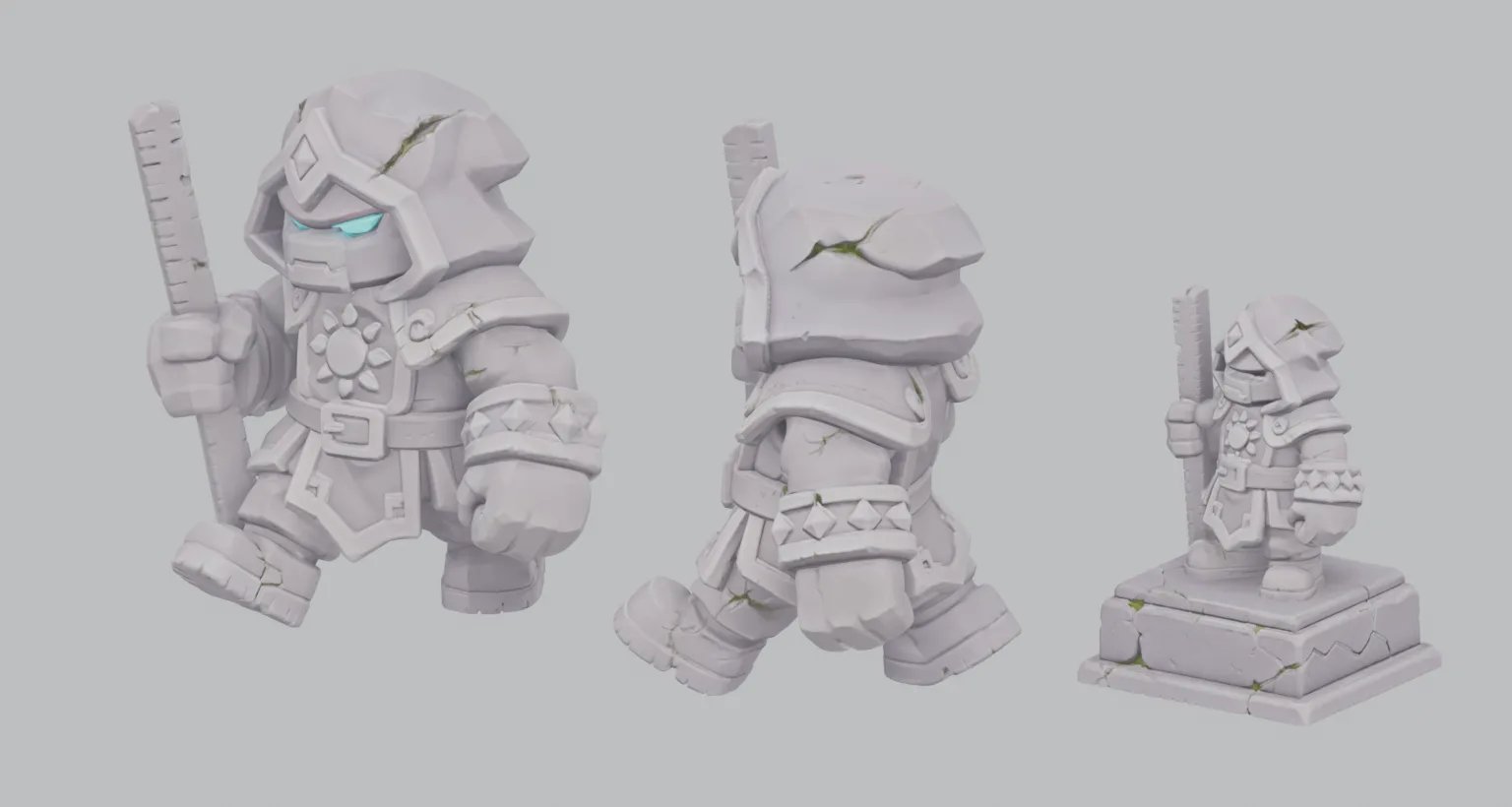
And it's not a picture pasted on a board. Turn it around, and every one of them is a full 3D shape:
Put the three approaches side by side, and the difference is clear:
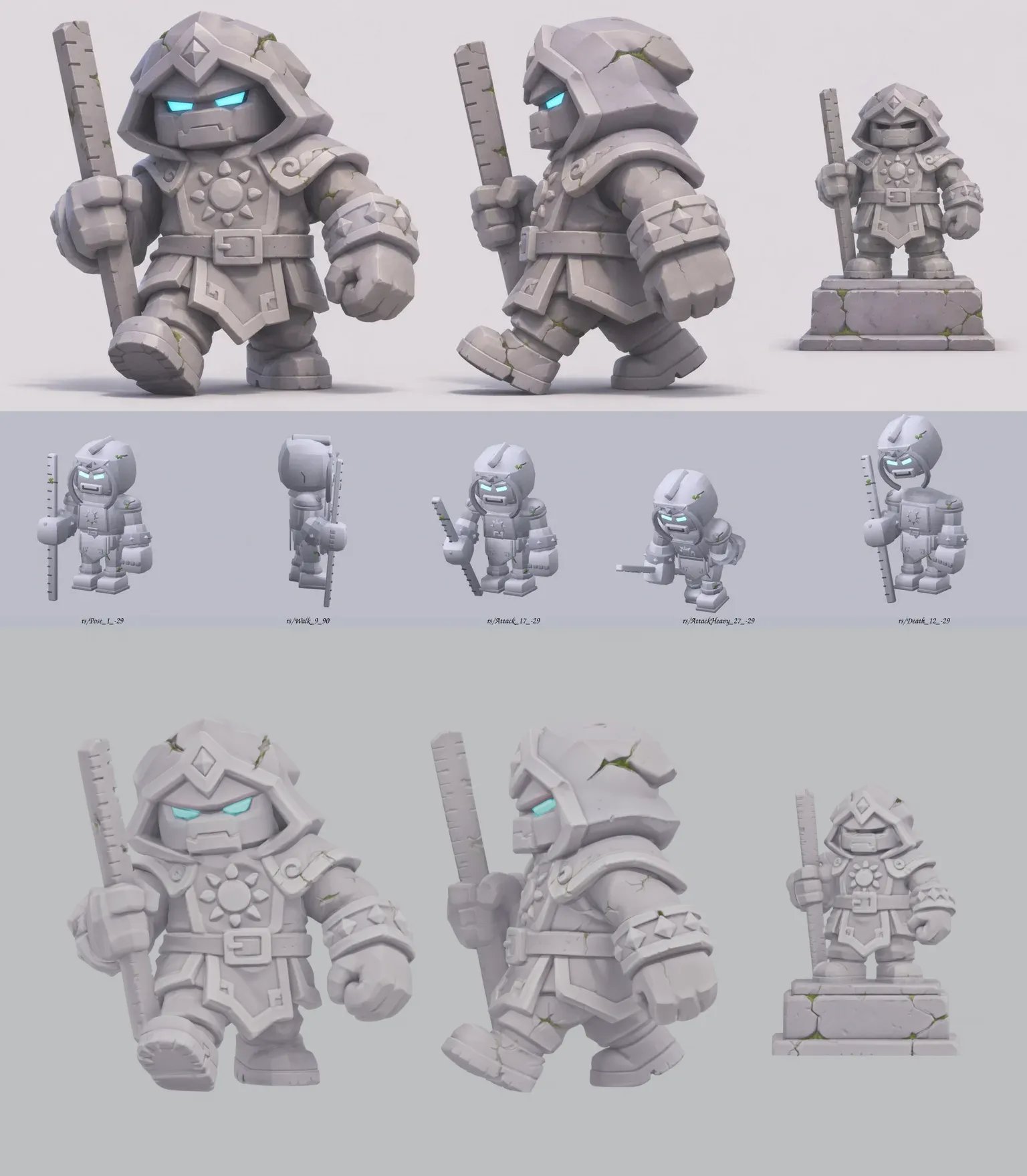
That said, it's not something you can drop straight into a game after downloading. I ran into two things:
- Three statues in one model: I uploaded the whole design sheet, with the front view, side view, and the version on the pedestal. Tripo dutifully built all three and merged them into a single model. The game only needs one, so next time I'll crop out the front view before uploading, or use multi-view and treat the front and side as different angles of the same character.
- Way too many polygons: the file had 1.87 million triangles and weighed 64 MB, far too heavy for a game. Game characters usually have only a few thousand faces, so you have to reduce the polygon count before it goes in.
Making it game-ready: let the Blender script do what it's good at
So I cropped the concept art down to just the front view and ran it through Tripo again. This time I got a single statue monster, but the polygon count was still huge: about 1.9 million triangles, three 4K textures, almost 70 MB, and no rig.
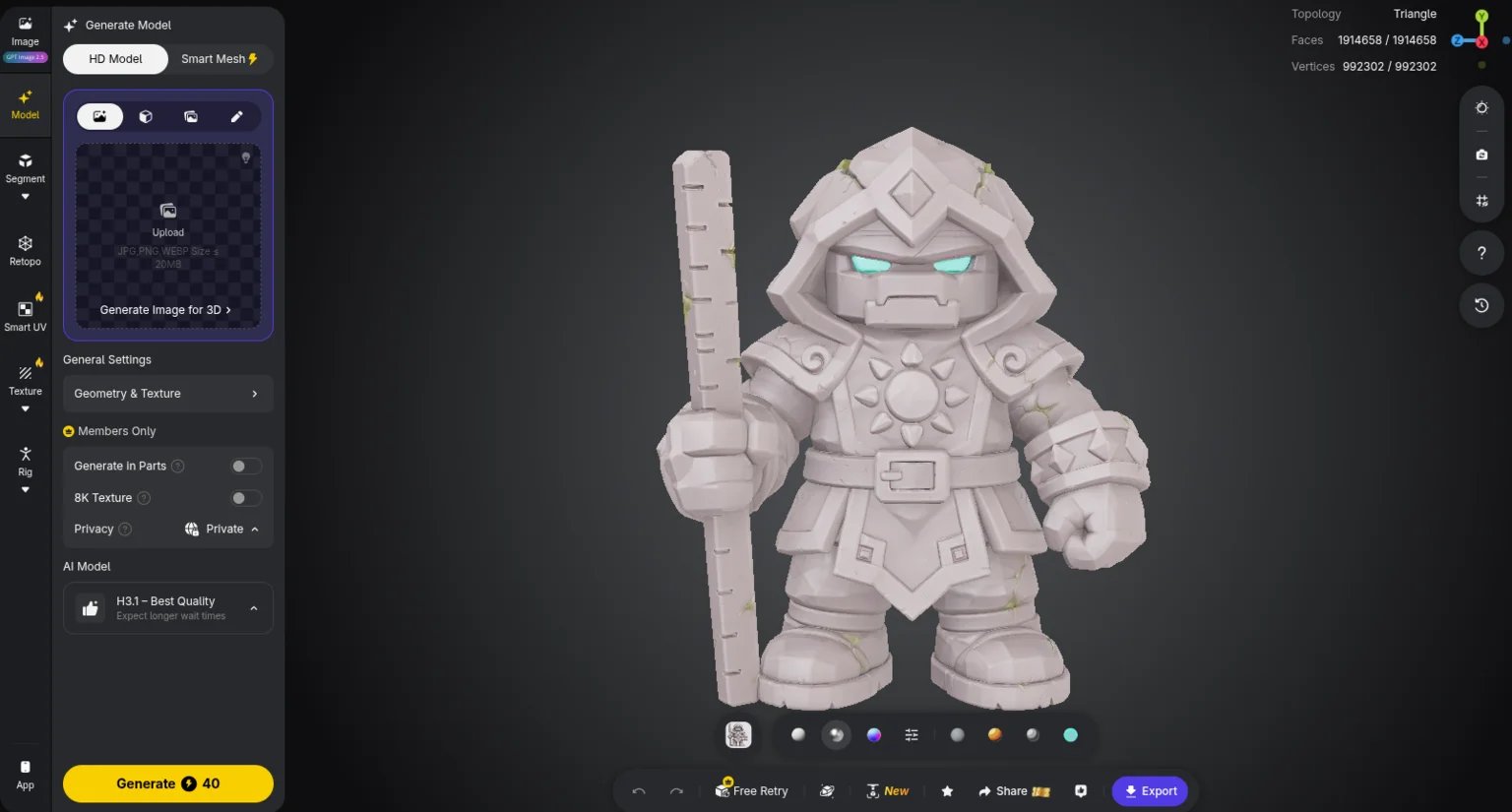
I used HD Model in Tripo Studio with the H3.1 (Best Quality) AI model, which costs 40 credits per generation. The detail is spot on, but that polygon count is meant for rendering, not for games.
The funny part is that cleaning up the model brought me right back to Blender scripts. A script can't sculpt a good-looking shape, but rule-based work like "straighten it, reduce polygons, color it, rig it, animate it" is exactly what it's good at. The script did all of this:
- Straighten it: fix the facing direction, put the feet on the ground, and scale the height to a fixed unit.
- Split off the ruler: cut the long, thin weapon away from the body and rebuild it as a clean bar (tick marks included), bound to its own bone, so swinging it doesn't drag the legs along.
- Rebuild the shell, then reduce polygons: Tripo's mesh had holes and parts fused together, so decimating it directly would tear it apart. The script first wraps it in a closed shell, then reduces it to about 16,000 triangles.
- Color it: sample colors from the original textures and simplify them into 6 flat color blocks. The eyes get their own glowing material.
- Rig and animations: 15 bones, with idle, walk, attack, heavy attack, hit, and death animations.
The final file is under 1 MB, with about one percent of the original polygons, and it's still the statue monster from the concept art:
Compared to the block version a script built from scratch at the start, this is a monster that can actually go in the game.
My AI 3D modeling workflow now
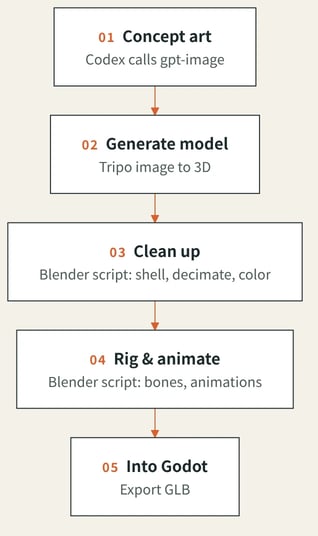
- Concept art: Codex calls gpt-image, with an existing game character as the style reference.
- Generate the model: crop the concept art down to a single character, run it through Tripo, and get a textured model.
- Clean up: use a Blender script to rebuild the shell, reduce polygons, and simplify the colors into blocks, so it doesn't look out of place next to the other characters in the game.
- Rig and animate: the same script adds the rig and makes the idle, walk, attack, and other animations.
- Into Godot: export GLB and import it into the game.
Three ways to do AI 3D modeling: which one to pick
Approach | Good for | Downsides |
|---|---|---|
AI-written Blender script | Boxy props, plus cleanup work like reducing polygons and rigging | Hard to get characters and organic shapes right from scratch |
Image to 3D (Tripo) | When you already have concept art you like and want a character fast | Very high polygon count that needs reducing; the uploaded image should have just one character |
Buy ready-made assets | Common people, monsters, and props | You won't find a character that matches your design exactly |
My takeaway: generate characters with image to 3D, then clean them up with a script; build boxy props with a script; just buy assets for common stuff. Mixing all three saves a lot of hassle compared to forcing one method to do everything.
If you're stuck at the modeling step on a game or 3D project of your own, come find me on Threads or X and leave a comment on one of my posts.
— Terry L